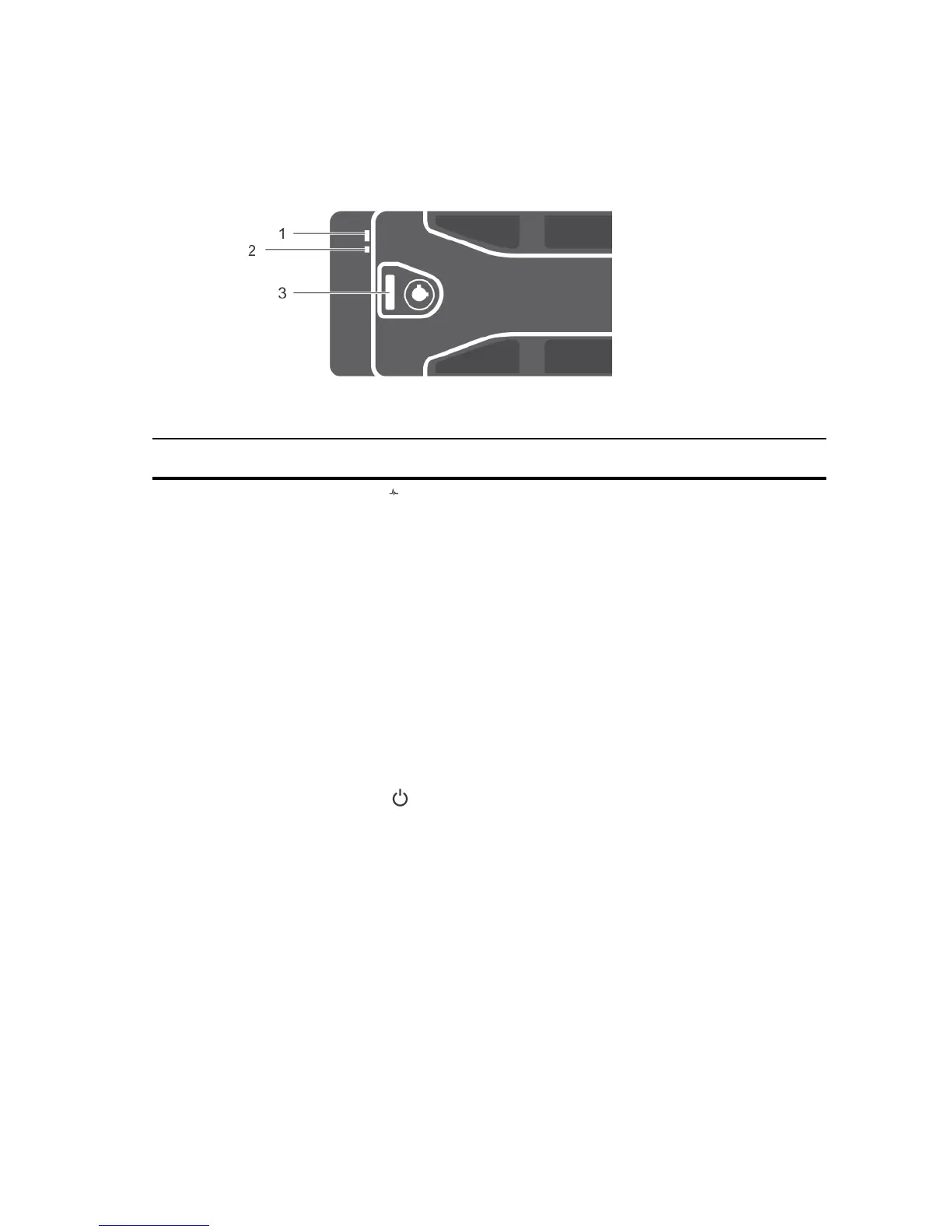
Front-bezel features and indicators
Figure 2. Front-bezel features and indicators
Item Indicator, Button, or
Connector
Icon Description
1 Enclosure status LED The enclosure status LED lights when the enclosure
power is on.
Lights solid blue during normal operation.
Blinks blue when a host server is identifying the
enclosure or when the system identification button is
pressed.
Blinks amber or remains solid amber for a few seconds
and then turns off when the EMMs are booting or
resetting.
Blinks amber for an extended time when the enclosure
is in a warning state.
Remains solid amber when the enclosure is in the fault
state.
2 Power LED The power LED lights when at least one power supply
unit (PSU) is supplying power to the enclosure.
3 Latch The latch is used to remove the bezel from the
enclosure.
6













 To Next Page