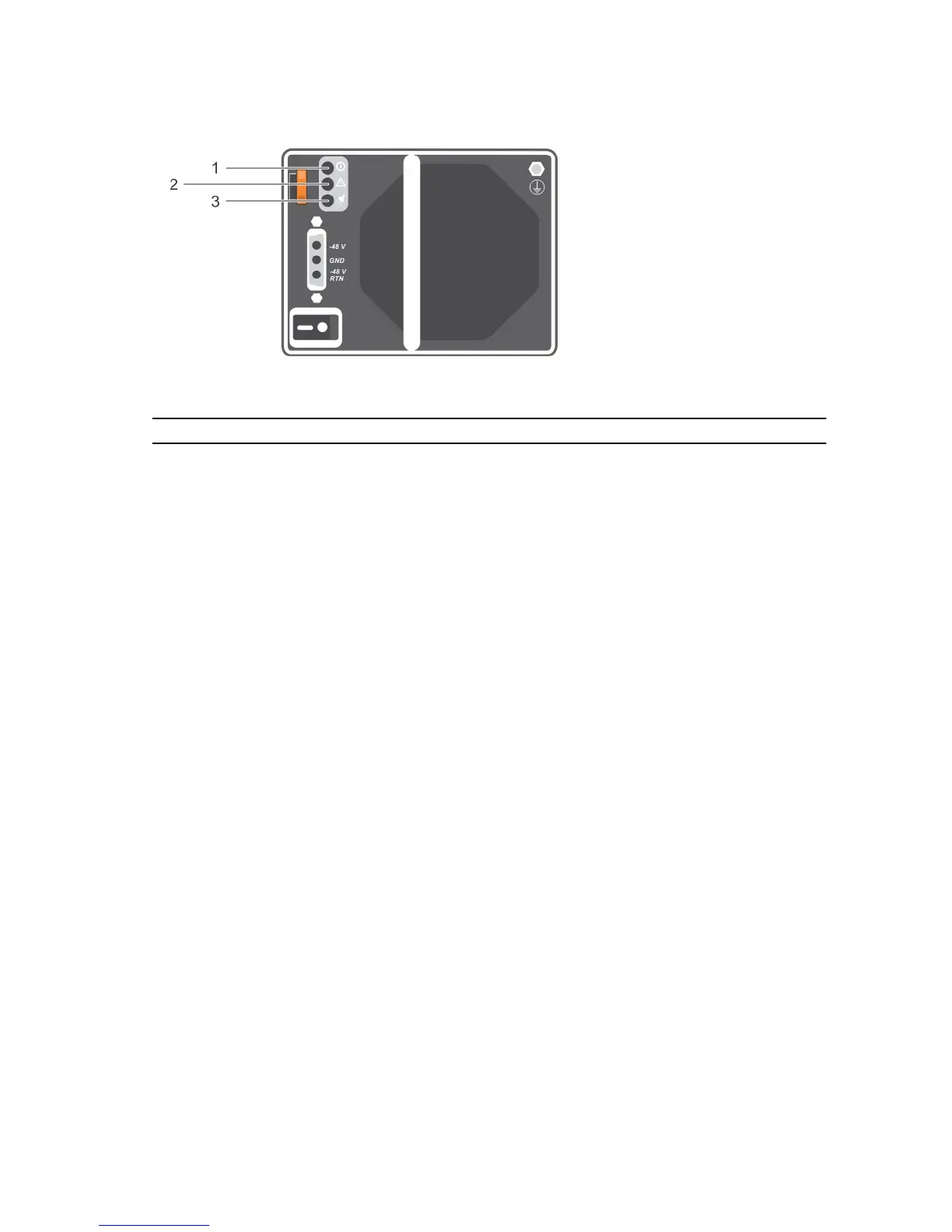
Figure 15. Power indicator codes
Item LED Color State
1 Power
output
Green
• ON — Normal operation. Power supply is connected to DC power and
the power switch is on. The power supply module is supplying DC
power to the array.
• OFF — Indicates any one of the following:
– The power switch is off.
– The power supply module is not connected to power.
– There is a fault condition.
2 Power
supply
module
fault
Yellow
• ON — Fault detected.
• OFF — OK.
• Blinks briefly when power is first turned on to the power supply
module.
3 Line input Green
• ON — Power supply module is connected to a source of DC power
whether or not the power switch is on.
• OFF — Power supply module is completely disconnected from any
source of DC power.
21













 To Next Page