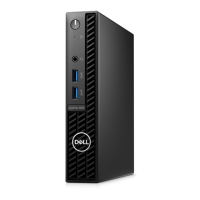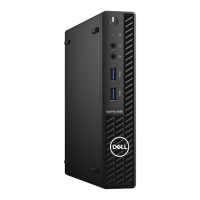
How do I resolve a memory write/read failure on my Dell OptiPlex 3080 Micro?
- SSean WangSep 14, 2025
To resolve a memory write/read failure on your Dell Desktop, reinstall the memory module or, if necessary, replace it.
How do I resolve a memory write/read failure on my Dell OptiPlex 3080 Micro?
To resolve a memory write/read failure on your Dell Desktop, reinstall the memory module or, if necessary, replace it.
How to fix 'Operating System Not Found' on Dell Desktop?
If you receive an 'Operating System Not Found' error on your Dell Desktop, reinstall the operating system.
What to do if I have a memory/RAM failure on my Dell Desktop?
To address a memory/RAM failure in your Dell Desktop, try resetting the memory module. If the problem continues, replace the memory module.
How to fix system board failure on Dell OptiPlex 3080 Micro?
To address a system board failure (including BIOS corruption or ROM error) on your Dell Desktop, flash the latest BIOS version. If the problem continues, replace the system board.
How to fix keyboard stuck key failure on Dell OptiPlex 3080 Micro Desktop?
If you are experiencing a keyboard stuck key failure on your Dell Desktop, run the Stuck Key test in Dell Diagnostics.
What does 'General Failure' mean on a Dell OptiPlex 3080 Micro?
If you get a 'General Failure' message on your Dell Desktop, the message is usually followed by specific information. For example, Printer out of paper. Take the appropriate action.
What to do if time-of-day clock stopped on Dell OptiPlex 3080 Micro Desktop?
If the time-of-day clock has stopped on your Dell Desktop, connect your computer to an electrical outlet to charge the battery.
How to fix keyboard clock line failure on Dell Desktop?
If you are experiencing a keyboard clock line failure on your Dell Desktop, run the Keyboard Controller test in Dell Diagnostics.
How to fix 'X:\ is not accessible' on Dell OptiPlex 3080 Micro?
If you receive an 'X:\ is not accessible' error on your Dell Desktop, insert a disk into the drive and try again.
How do I diagnose a CPU failure on my Dell OptiPlex 3080 Micro Desktop?
To troubleshoot a CPU failure on your Dell Desktop, run the Intel CPU diagnostics tools. If the problem persists, replace the system board.
Guidelines for safe operation and handling of the computer.
Methods for protecting components from static electricity damage.
Procedure for removing the computer's side cover.
Procedure for installing the computer's side cover.
Procedure for removing the system's fan assembly.
Procedure for removing the system's heat sink.
Procedure for removing the computer's processor.
Procedure for removing the system board.
Guidelines for safe operation and handling of the computer.
Methods for protecting components from static electricity damage.
Procedure for removing the computer's side cover.
Procedure for installing the computer's side cover.
Procedure for removing the system's fan assembly.
Procedure for removing the system's heat sink.
Procedure for removing the computer's processor.
Procedure for removing the system board.
| Processor Options | 10th Generation Intel Core i3, i5, i7 |
|---|---|
| Memory | Up to 64GB DDR4 |
| Storage Options | 2.5-inch HDD/SSD, M.2 SSD |
| Graphics | Intel UHD Graphics |
| Ports | USB 3.2, USB-C, HDMI, DisplayPort, RJ-45, audio |
| Operating System | Windows 10 Pro, Ubuntu |
| Dimensions | 178 x 182 x 36 mm (7.0 x 7.2 x 1.4 inches) |
| Wireless | Bluetooth 5.1 |