EasyManua.ls Logo

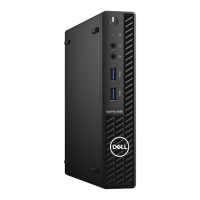
Dell OptiPlex 3080 Micro - User Manual

Dell OptiPlex 3080 Micro
61 pages
Print Icon
To Next Page IconTo Next Page
Loading...
OptiPlex 3080 Micro
Service Manual
Regulatory Model: D14U
Regulatory Type: D14U002
May 2020
Rev. A00

Table of Contents

Other manuals for Dell OptiPlex 3080 Micro

Questions and Answers

  • M
    Monica EdwardsSep 2, 2025
    What causes a power rail failure in a Dell OptiPlex 3080 Micro Desktop?
    • B
      Beverly SingletonSep 2, 2025
      If you are experiencing a power rail failure on your Dell Desktop, it indicates that the EC ran into a power sequencing failure. If the problem persists, replace the system board.
  • D
    Dawn MartinezSep 3, 2025
    How to fix system board/chipset error on Dell OptiPlex 3080 Micro?
    • J
      Jim AndersonSep 3, 2025
      To resolve a system board/chipset error, clock failure, Gate A20 failure, Super I/O failure, or keyboard controller failure on your Dell Desktop, flash the latest BIOS version. If the problem persists, replace the system board.
  • R
    Ryan PughSep 4, 2025
    How do I fix a CMOS battery failure on my Dell OptiPlex 3080 Micro?
    • C
      caustinSep 4, 2025
      To address a CMOS battery failure in your Dell Desktop, reset the CMOS battery connection. If the problem persists, replace the RTS battery.
  • O
    owensshannonSep 5, 2025
    How to fix keyboard controller failure on Dell Desktop?
    • M
      mirandameganSep 5, 2025
      If you are experiencing a keyboard controller failure on your Dell Desktop, run the Keyboard Controller test in Dell Diagnostics.
  • J
    James MilesSep 6, 2025
    What to do if time-of-day clock lost power on Dell OptiPlex 3080 Micro?
    • K
      Kelly ToddSep 6, 2025
      If the time-of-day clock has lost power on your Dell Desktop, connect your computer to an electrical outlet to charge the battery.

Summary

Working on your computer

Safety Instructions

Guidelines for safe operation and handling of the computer.

ESD Protection

Methods for protecting components from static electricity damage.

Disassembly and reassembly

Side Cover Removal

Procedure for removing the computer's side cover.

Side Cover Installation

Procedure for installing the computer's side cover.

Fan Assembly Removal

Procedure for removing the system's fan assembly.

Heat Sink Removal

Procedure for removing the system's heat sink.

Processor Removal

Procedure for removing the computer's processor.

System Board Removal

Procedure for removing the system board.

Troubleshooting

Dell OptiPlex 3080 Micro Specifications

General IconGeneral
Processor Options10th Generation Intel Core i3, i5, i7
MemoryUp to 64GB DDR4
Storage Options2.5-inch HDD/SSD, M.2 SSD
GraphicsIntel UHD Graphics
PortsUSB 3.2, USB-C, HDMI, DisplayPort, RJ-45, audio
Operating SystemWindows 10 Pro, Ubuntu
Dimensions178 x 182 x 36 mm (7.0 x 7.2 x 1.4 inches)
WirelessBluetooth 5.1

Related product manuals