EasyManua.ls Logo

Dell OptiPlex 3080 Micro - User Manual

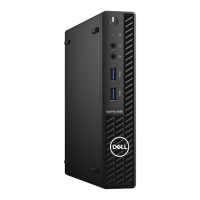
Dell OptiPlex 3080 Micro
61 pages
Print Icon
To Next Page IconTo Next Page
Loading...
OptiPlex 3080 Micro
Service Manual
Regulatory Model: D14U
Regulatory Type: D14U002
May 2020
Rev. A00

Table of Contents

Other manuals for Dell OptiPlex 3080 Micro

Questions and Answers

  • L
    Laura MccartyAug 25, 2025
    What to do if I have a memory/RAM failure on my Dell Desktop?
    • C
      Carlos DavisAug 26, 2025
      To address a memory/RAM failure in your Dell Desktop, try resetting the memory module. If the problem continues, replace the memory module.
  • B
    Brian FordAug 26, 2025
    How to fix system board failure on Dell OptiPlex 3080 Micro?
    • U
      ubutlerAug 27, 2025
      To address a system board failure (including BIOS corruption or ROM error) on your Dell Desktop, flash the latest BIOS version. If the problem continues, replace the system board.
  • A
    Angela StuartAug 27, 2025
    How do I troubleshoot a hard-disk drive read failure on a Dell OptiPlex 3080 Micro?
    • L
      Leslie BullockAug 27, 2025
      To fix a hard-disk drive read failure on your Dell Desktop, shut down the computer, remove the hard drive, and boot the computer from an optical. Then, shut down the computer, reinstall the hard drive, and restart the computer. If the problem persists, try another drive. Run the Hard Disk Drive tests in Dell Diagnostics.
  • J
    Jeffrey LeeAug 27, 2025
    How do I resolve a hard-disk drive configuration error on my Dell OptiPlex 3080 Micro Desktop?
    • A
      alison22Aug 27, 2025
      To resolve a hard-disk drive configuration error on your Dell Desktop, shut down the computer, remove the hard drive, and boot the computer from an optical drive. Then, shut down the computer, reinstall the hard drive, and restart the computer. Run the Hard Disk Drive tests in Dell Diagnostics.
  • J
    Joseph CarrilloAug 28, 2025
    What to do if BIOS recovery image is not found on Dell Desktop?
    • J
      jennifer66Aug 28, 2025
      If the BIOS recovery image is not found on your Dell Desktop, flash the latest BIOS version. If the problem persists, replace the system board.
  • M
    marisa68Aug 29, 2025
    What to do if BIOS recovery image found but invalid on Dell OptiPlex 3080 Micro?
    • M
      Mark FischerAug 29, 2025
      If the BIOS recovery image is found but invalid on your Dell Desktop, flash the latest BIOS version. If the problem persists, replace the system board.
  • J
    johnnymackAug 30, 2025
    How to fix HARD-DISK DRIVE CONTROLLER FAILURE 0 on Dell OptiPlex 3080 Micro?
    • J
      Jordan HarrisAug 30, 2025
      To fix a hard-disk drive controller failure on your Dell Desktop, shut down the computer, remove the hard drive, and boot the computer from an optical drive. Then, shut down the computer, reinstall the hard drive, and restart the computer. If the problem persists, try another drive. Run the Hard Disk Drive tests in Dell Diagnostics.
  • L
    logan97Aug 23, 2025
    What to do if no boot device is available on Dell OptiPlex 3080 Micro?
    • S
      Samantha YoungAug 23, 2025
      If your hard drive is the boot device for your Dell Desktop, ensure the cables are connected, the drive is properly installed, and partitioned as a boot device. Also, enter system setup and verify the boot sequence information is correct.
  • W
    Wendy MillerSep 1, 2025
    What to do if Disk C failed initialization on Dell Desktop?
    • L
      Larry WongSep 1, 2025
      If disk C: failed initialization on your Dell Desktop, run the hard drive tests in Dell Diagnostics.
  • R
    richard84Sep 2, 2025
    How do I fix a GATE A20 failure on my Dell OptiPlex 3080 Micro?
    • J
      James HoodSep 2, 2025
      To resolve a GATE A20 failure on your Dell Desktop, reinstall the memory module or, if necessary, replace it.

Summary

Working on your computer

Safety Instructions

Guidelines for safe operation and handling of the computer.

ESD Protection

Methods for protecting components from static electricity damage.

Disassembly and reassembly

Side Cover Removal

Procedure for removing the computer's side cover.

Side Cover Installation

Procedure for installing the computer's side cover.

Fan Assembly Removal

Procedure for removing the system's fan assembly.

Heat Sink Removal

Procedure for removing the system's heat sink.

Processor Removal

Procedure for removing the computer's processor.

System Board Removal

Procedure for removing the system board.

Troubleshooting

Dell OptiPlex 3080 Micro Specifications

General IconGeneral
Processor Options10th Generation Intel Core i3, i5, i7
MemoryUp to 64GB DDR4
Storage Options2.5-inch HDD/SSD, M.2 SSD
GraphicsIntel UHD Graphics
PortsUSB 3.2, USB-C, HDMI, DisplayPort, RJ-45, audio
Operating SystemWindows 10 Pro, Ubuntu
Dimensions178 x 182 x 36 mm (7.0 x 7.2 x 1.4 inches)
WirelessBluetooth 5.1

Related product manuals