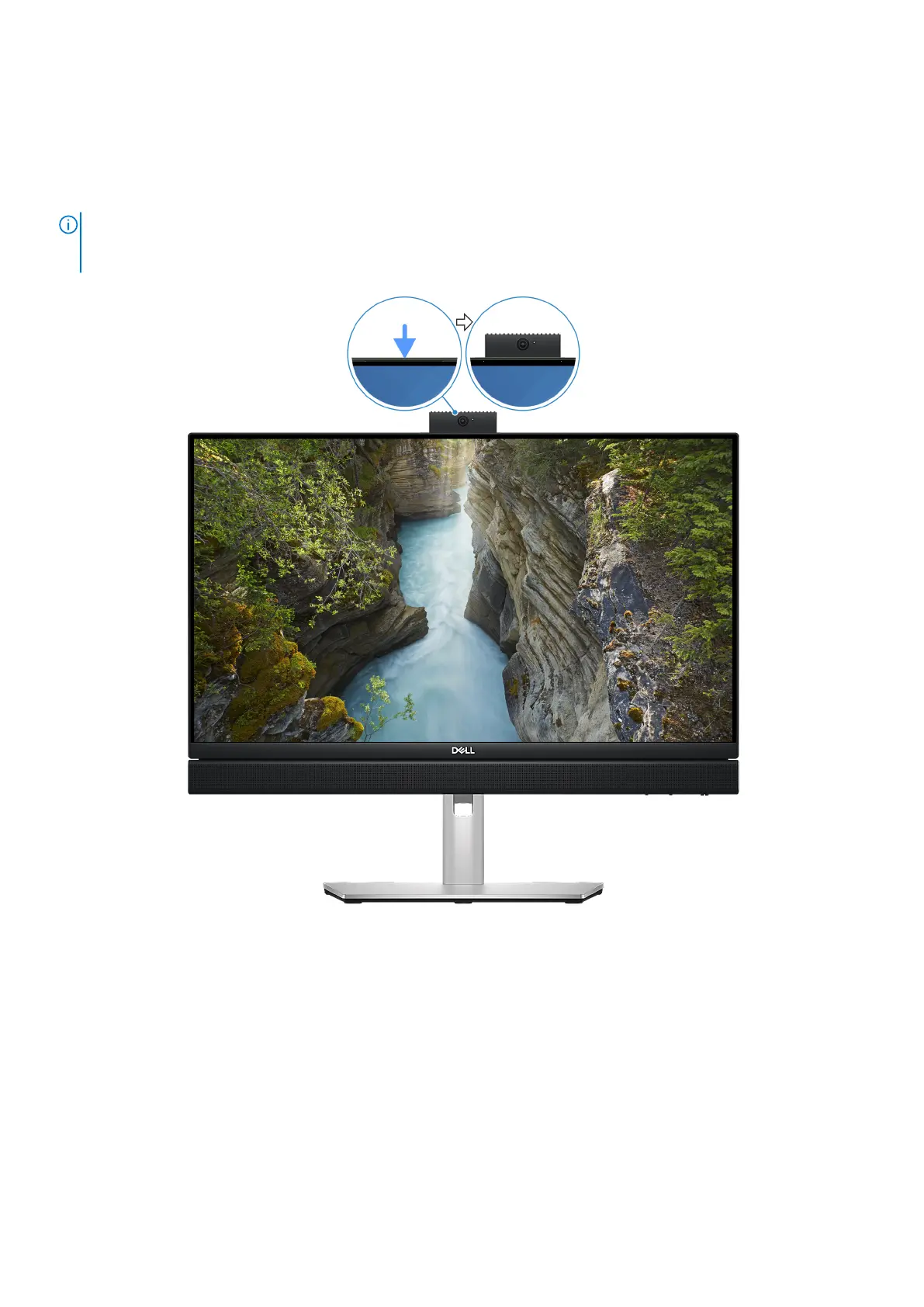
Retractable camera
Accessing the retractable camera
NOTE: Press down on the retractable camera at the top of your computer. The retractable camera pops up above
the display, allowing you to access it. To conceal your retractable camera and protect your privacy, press down on the
retractable camera until it clicks into place.
Figure 4. Locating the retractable camera
Views of OptiPlex All-in-One 7420
9









 To Next Page