Steps
1. Loosen the eight captive screws that secure the base cover to the palm-rest assembly.
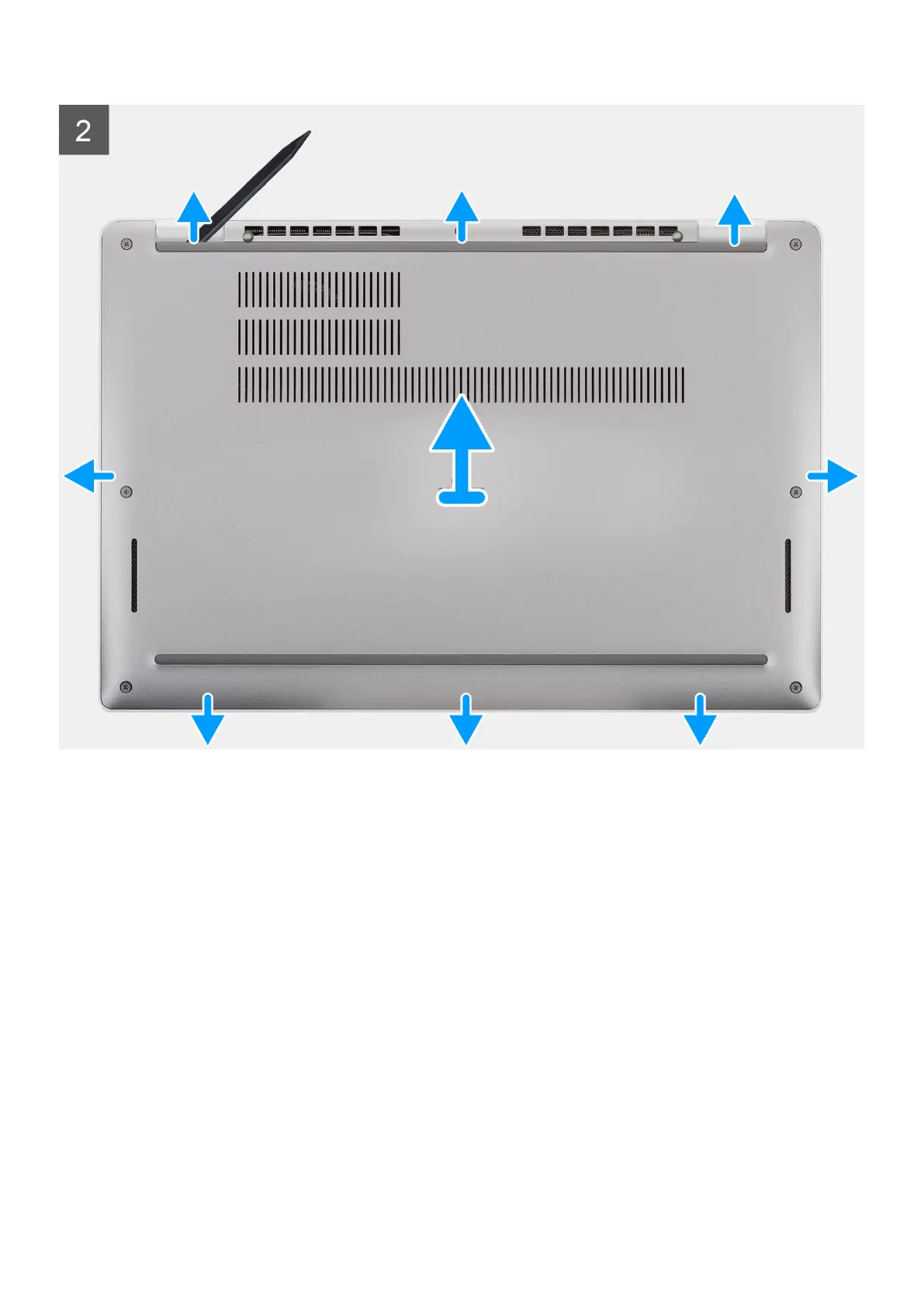
2. Using a plastic scribe, pry the base cover from the U-shaped indents at the top edge of the base cover and continue to work
on the sides to release the base cover from the palm-rest assembly.
3. Lift the base cover off the palm-rest assembly.
Installing the base cover
Prerequisites
If you are replacing a component, remove the existing component before performing the installation procedure.
About this task
The following images indicate the location of the base cover and provide a visual representation of the installation procedure.
Removing and installing components
19



 To Next Page