About this task
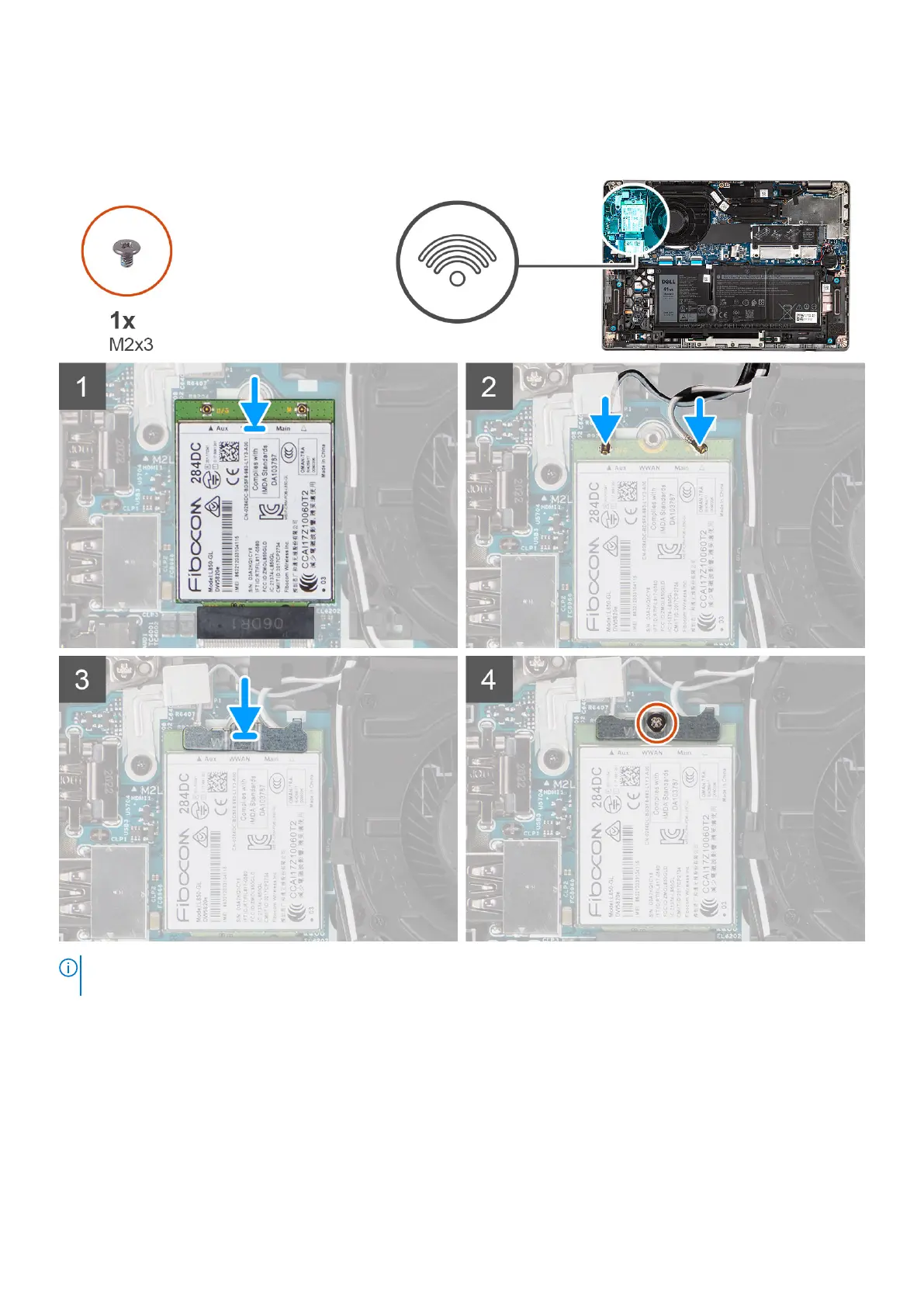
The following image indicates the location of the WWAN card and provides a visual representation of the installation procedure.
NOTE: For instructions on how to find your computer's IMEI (International Mobile Station Equipment Identity) number, see
the knowledge base article 000143678 at www.dell.com/support.
Steps
1. Align the notch on the WWAN card and slide the WWAN card at an angle into the WWAN-card slot.
2. Connect the antenna cables to the connectors on the WWAN card.
The following table provides the antenna-cable color scheme for the WWAN card supported by your computer.
Removing and installing components
35



 To Next Page