Steps
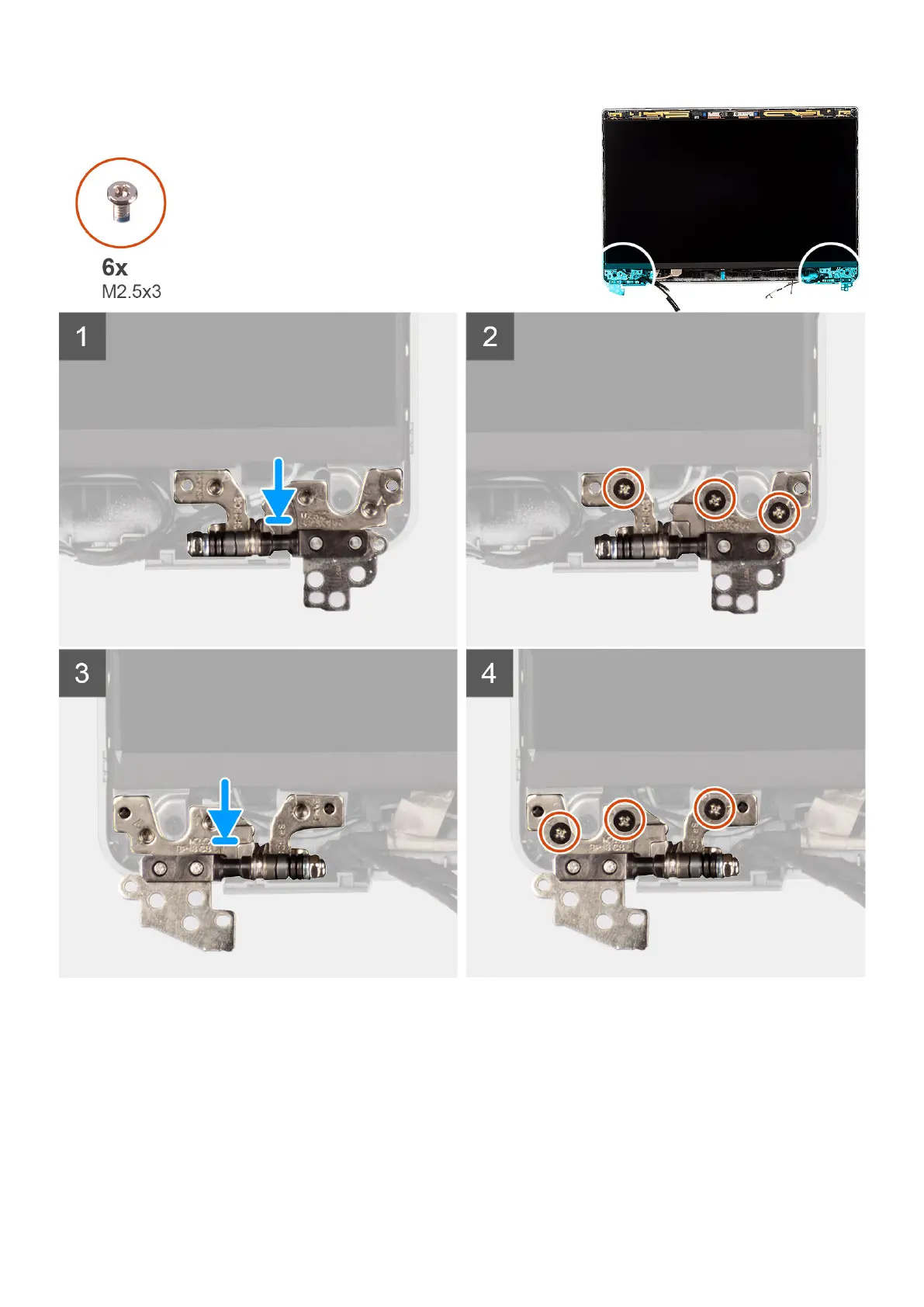
1. Lower the display hinges on the display assembly.
2. Replace the six (M2.5x3) screws to secure the left and right display hinges to the display back cover.
Next steps
1. Install the display assembly.
2. Install the 3-cell battery or 4-cell battery.
3. Install the base cover.
90
Removing and installing components



 To Next Page