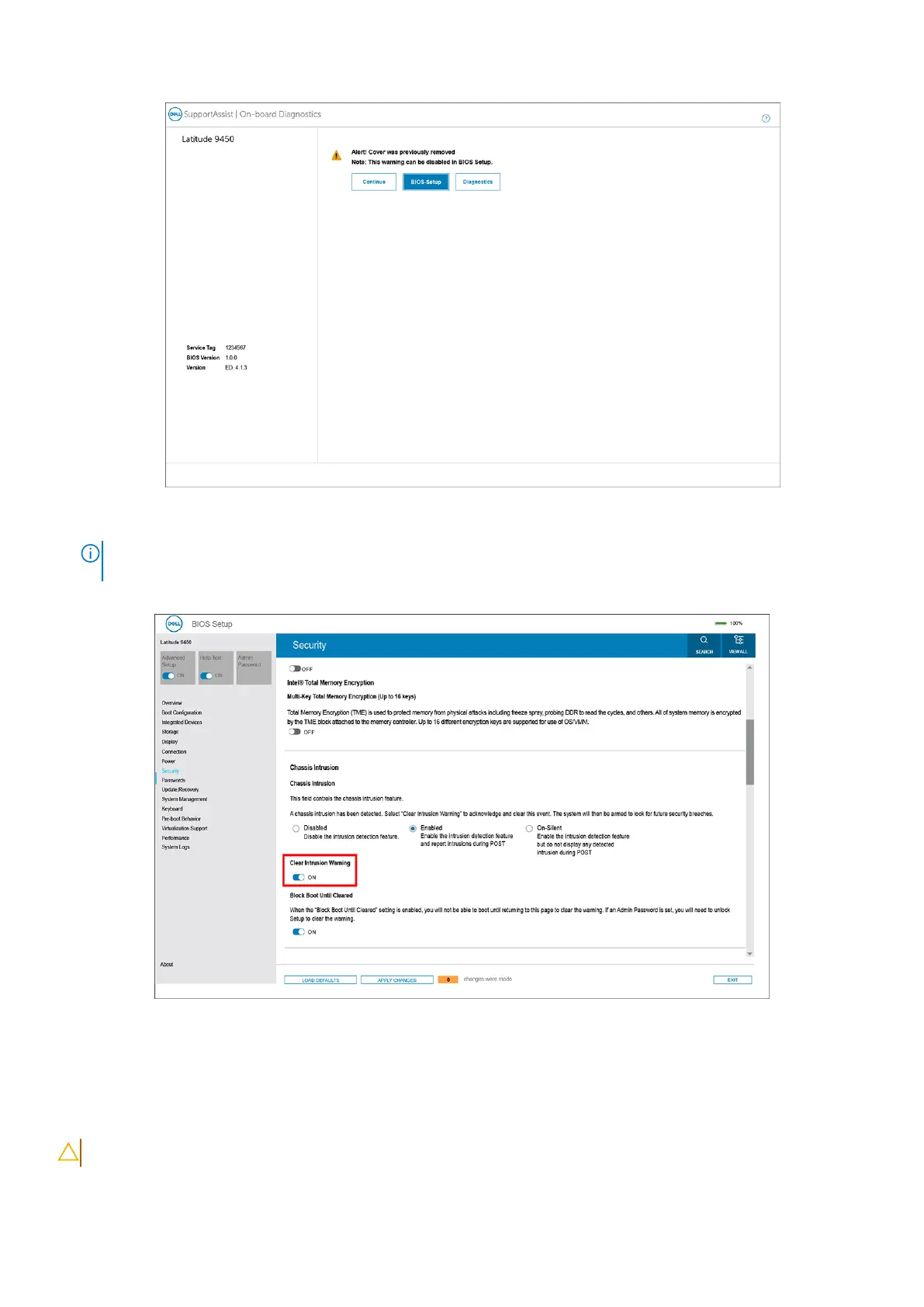
Figure 72. Block Boot Until Cleared is set to OFF
NOTE: If Continue is selected, the user continues to see the alert each time the system is powered on until the alert is
cleared.
To clear the alert, select ON in the Clear Intrusion Warning field in the Security sub-menu of the BIOS setup menu.
Figure 73. Clear Intrusion Warning
Clearing CMOS settings
About this task
CAUTION: Clearing CMOS settings resets the BIOS settings on your computer.
114 BIOS Setup



 To Next Page