Installing the Nano-SIM card tray
Prerequisites
If you are replacing a component, remove the necessary component before the installation procedure.
About this task
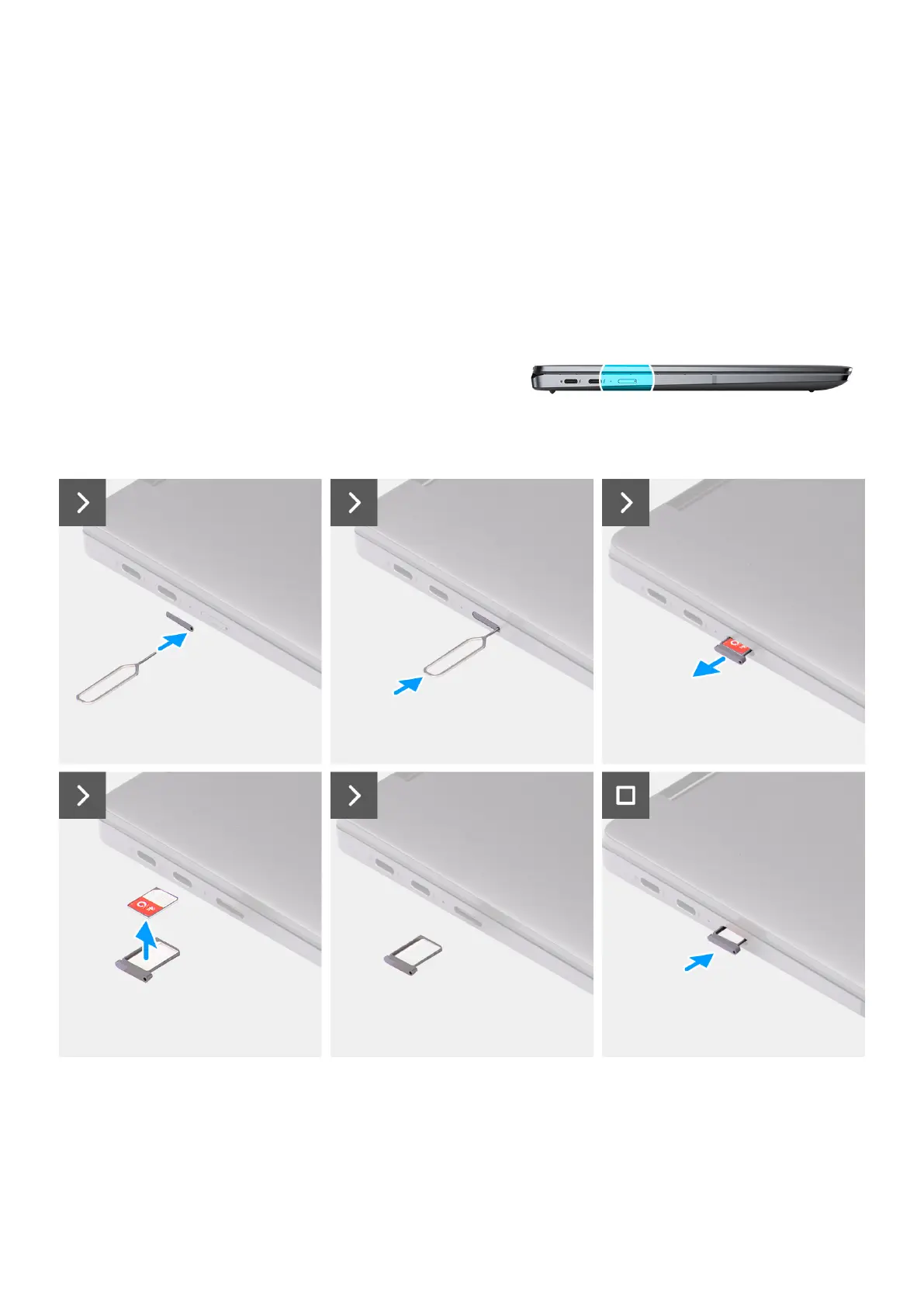
The following image provides a visual representation of the Nano-SIM card tray installation procedure.
Figure 18. Installing the Nano-SIM card tray
Steps
1. Insert the Nano-SIM card removal pin into the release hole to remove the Nano-SIM card tray.
2. Push the pin to disengage the lock, and eject the Nano-SIM card tray.
Removing and installing Customer Replaceable Units (CRUs)
41



 To Next Page