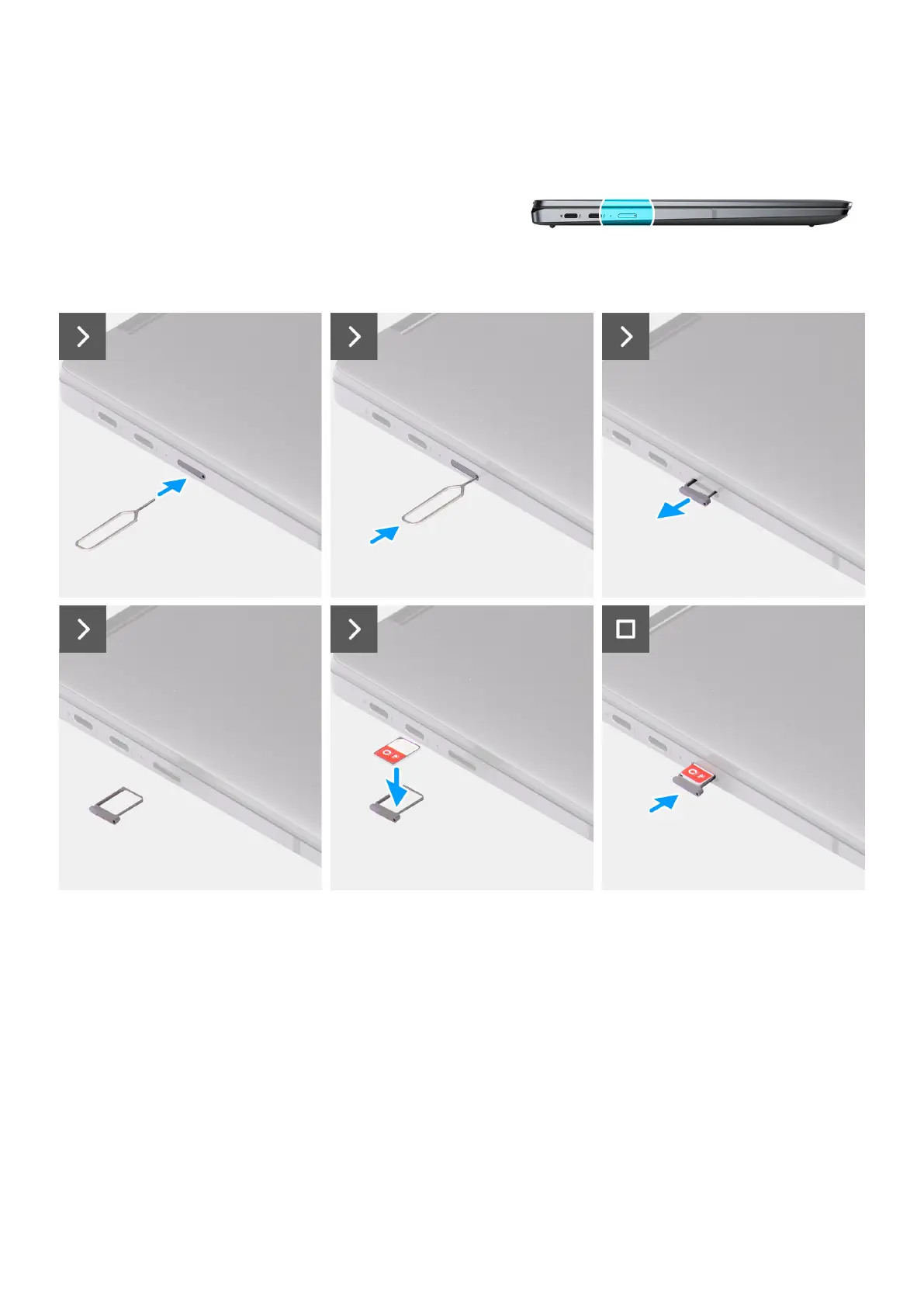
Figure 17. Removing the Nano-SIM card tray
Steps
1. Insert the Nano-SIM card removal pin into the release hole to release the Nano-SIM card tray.
2. Push the pin to disengage the lock, and eject the Nano-SIM card tray.
3. Slide the Nano-SIM card tray out of the slot on the system.
4. Remove the Nano-SIM from the Nano-SIM card tray.
5. Slide the Nano-SIM card tray back into the slot on the system.
40
Removing and installing Customer Replaceable Units (CRUs)



 To Next Page