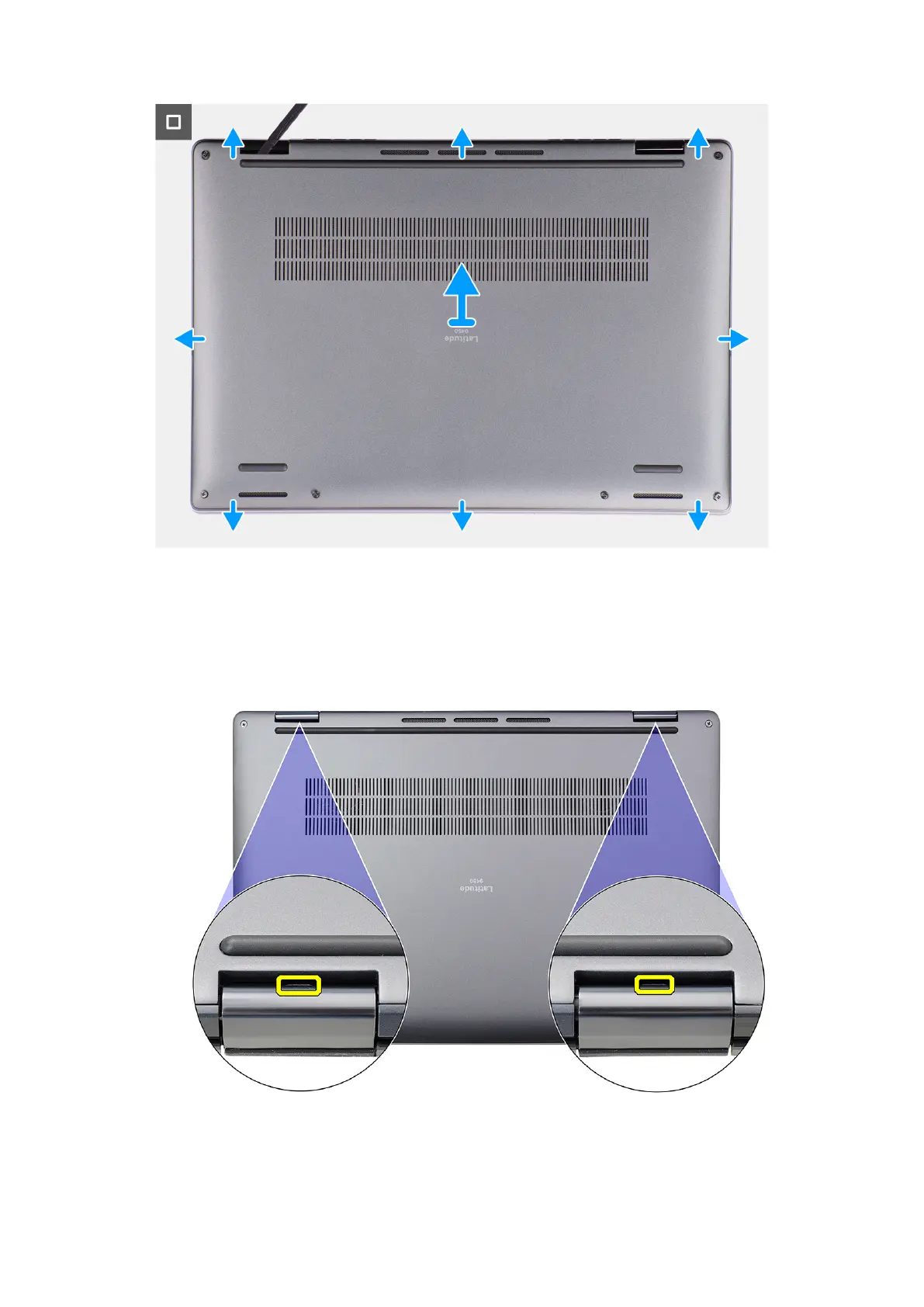
Figure 20. Base cover removal
Steps
1. Loosen the six captive screws that secure the base cover to the system.
2. Using a plastic scribe, pry open the base cover starting from the recesses, which are in the U-shaped indents at the top
edge of the base cover, near the hinges.
Figure 21. Base cover pry points
Removing and installing Customer Replaceable Units (CRUs)
43



 To Next Page