Prerequisites
1. Follow the procedure in before working inside your computer.
NOTE: Ensure that your computer is in Service Mode. For more information, see step 6 in before working inside your
computer.
2. Remove the Nano-SIM card tray.
3. Remove the base cover.
4. Remove the WWAN card.
NOTE: If the battery is disconnected from the system board for servicing, the computer date and time (RTC) will be reset.
As a result, when the computer is turned on, you are prompted to set the date and time.
About this task
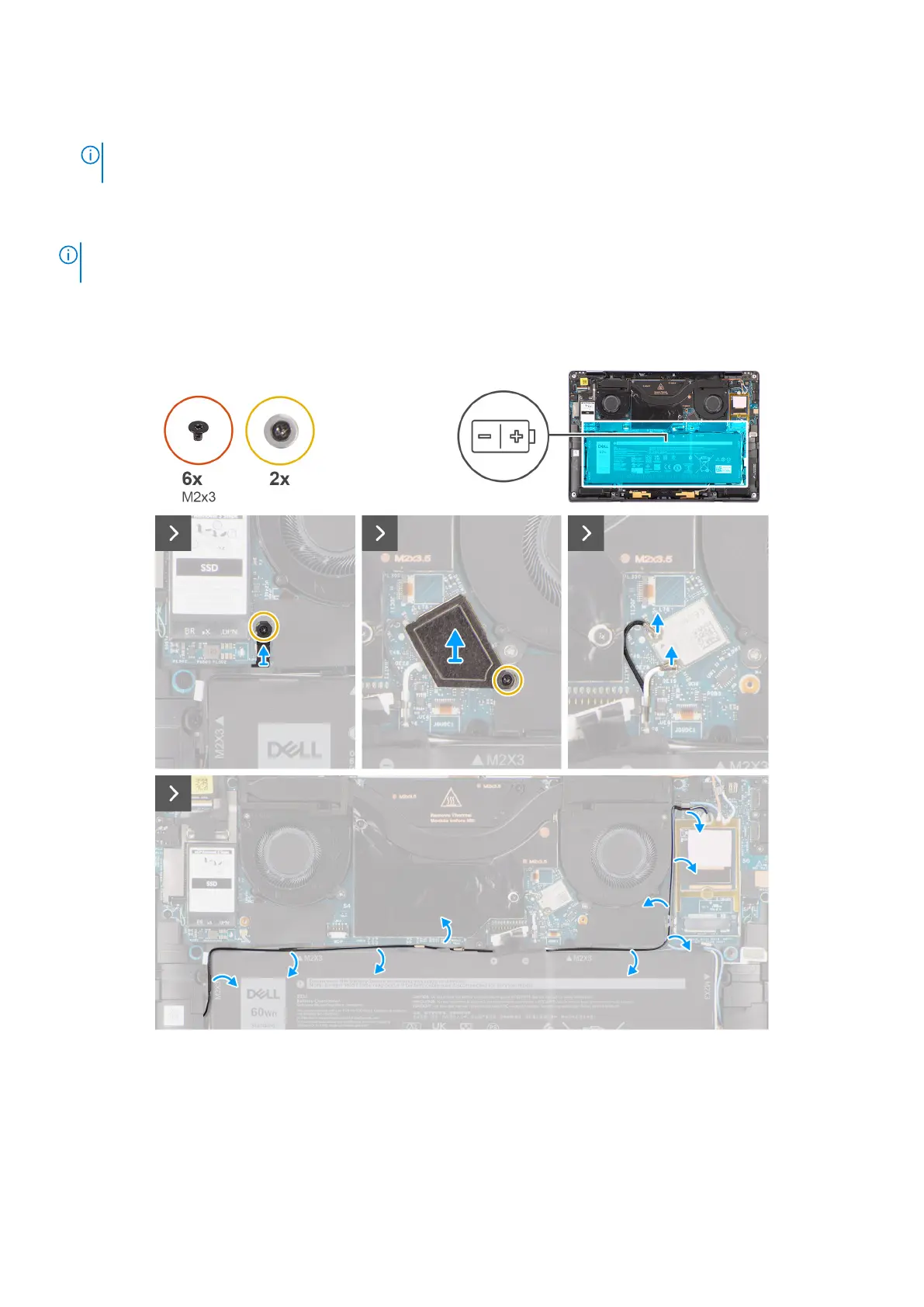
The following images indicate the location of the battery and provide a visual representation of the removal procedure.
Figure 37. Removing the battery
58
Removing and installing Field Replaceable Units (FRUs)



 To Next Page