40 Operating the Monitor
Dynamic
Contrast
Dynamic Contrast adjusts the contrast ratio to 2M to 1.
Press the button to select the Dynamic Contrast “On” or
“O” .
NOTE: Dynamic Contrast provides higher contrast if
you select Game or Movie preset mode.
Reset Display
Settings
Select this option to restore default display settings.
Energy
Settings
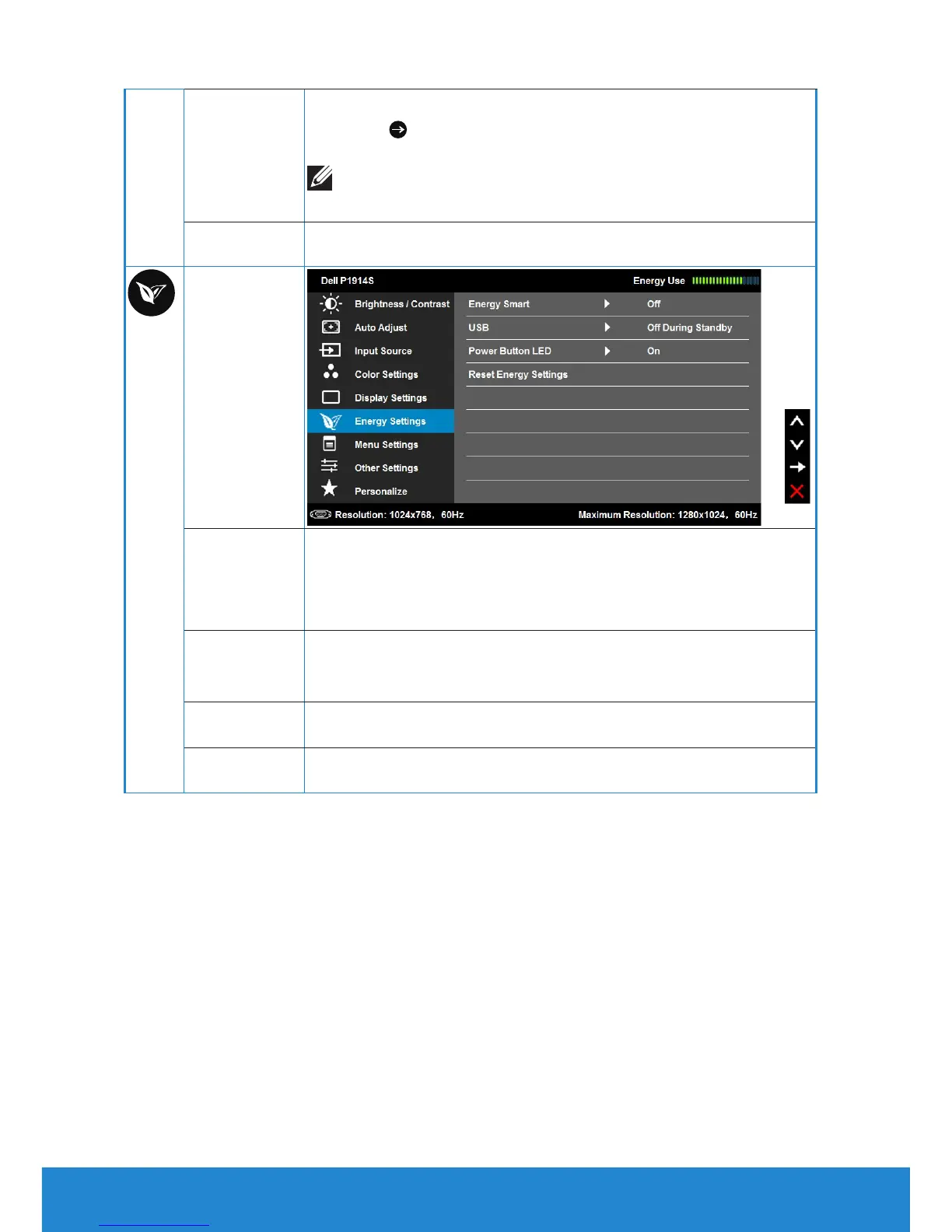
Energy Smart
To turn On or O dynamic dimming.
The dynamic dimming feature automatically reduces
the screen’s brightness level when the displayed image
contains a high proportion of bright areas.
USB
By turning on or o to control USB power supply while
monitor without USB upstream cable and under standby
mode.
Power Button
LED
Allows you to set the power LED indicator on or o to save
energy.
Reset Energy
Settings
Select this option to restore default Energy Settings.



 To Next Page