50 │ Setting up the monitor
Setting up the monitor
Attaching the stand
NOTE: The stand assembly is not pre-installed when the monitor is
shipped from the factory.
NOTE: The following instructions are applicable only for the stand that
was shipped with your monitor. If you are attaching a stand that you
purchased from any other source, follow the setup instructions that
were included with the stand.
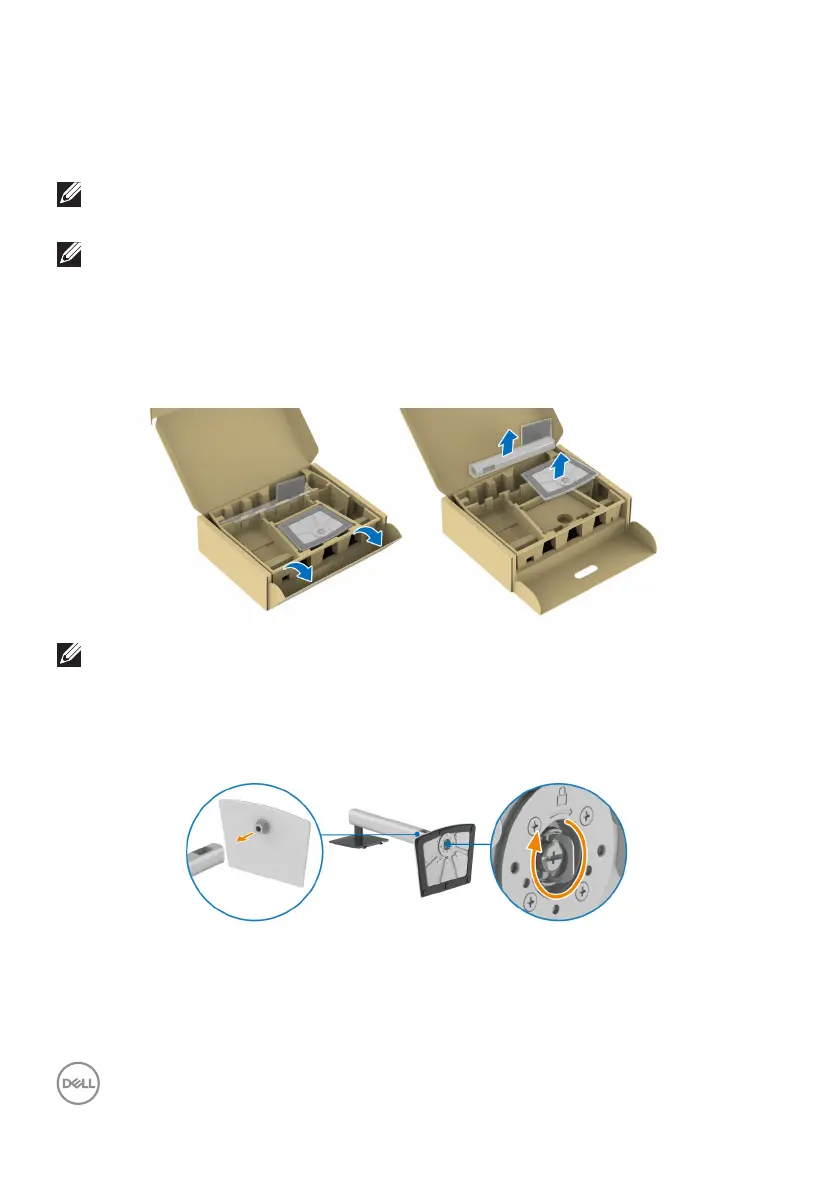
To attach the monitor stand:
1. R
emove the stand riser and stand base from the packaging cushion.
NOTE: The images are for the purpose of illustration only. The
placement and appearance of the package cushion may vary by model.
2. I
nsert the stand base blocks fully into the stand slot.
3. L
ift the screw handle and turn the screw clockwise.



 To Next Page