About your monitor │ 9
Product features
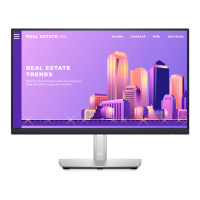
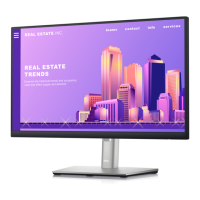
The Dell P2225H/P2425H/P2425H WOST/P2425/P2725H/P2725H WOST
monitor has an active matrix, Thin-Film Transistor (TFT), Liquid Crystal Display
(LCD) and LED backlight. The monitor features include:
• P2225H: 546.21 mm (21.50 in.) viewable area (measured diagonally).
1920 x 1080 (16:9) resolution, plus full-screen support for lower resolutions.
• P2425H/P2425H WOST: 604.70 mm (23.81 in.) viewable area (measured
diagonally). 1920 x 1080 (16:9) resolution, plus full-screen support for lower
resolutions.
• P2425: 611.32 mm (24.07 in.) viewable area (measured diagonally).
1920 x 1200 (16:10) resolution, plus full-screen support for lower resolutions.
• P2725H/P2725H WOST: 686 mm (27 in.) viewable area (measured
diagonally). 1920 x 1080 (16:9) resolution, plus full-screen support for lower
resolutions.
• Wide viewing angle to allow viewing from a sitting or standing position.
• Color gamut of 99% sRGB (typical).
• Video connectivity with DisplayPort, HDMI, and VGA.
• Tilt, swivel, height, and pivot adjustment capabilities.
• Ultra-thin bezel minimizes the bezel gap in multi-monitor usage, enabling
easier setup with an elegant viewing experience.
• Removable stand and Video Electronics Standards Association (VESA™)
100
mm mounting holes for flexible mounting solutions.
• Equipped with:
- One super speed USB 5 Gbps (USB 3.2 Gen1) Type-B upstream port
- One super speed USB 5 Gbps (USB 3.2 Gen1) Type-C downstream port
- Three super speed USB 5 Gbps (USB 3.2 Gen1) Type-A downstream ports
• Plug-and-play capability if supported by your computer.
• On-Screen Display (OSD) adjustments for ease of set-up and screen
optimization.
• Power button and OSD menu lock.
• Security-lock slot.
• Stand lock.
• < 0.3 W in Standby Mode.



 To Next Page