60 | Setting up the monitor
Operating the monitor webcam
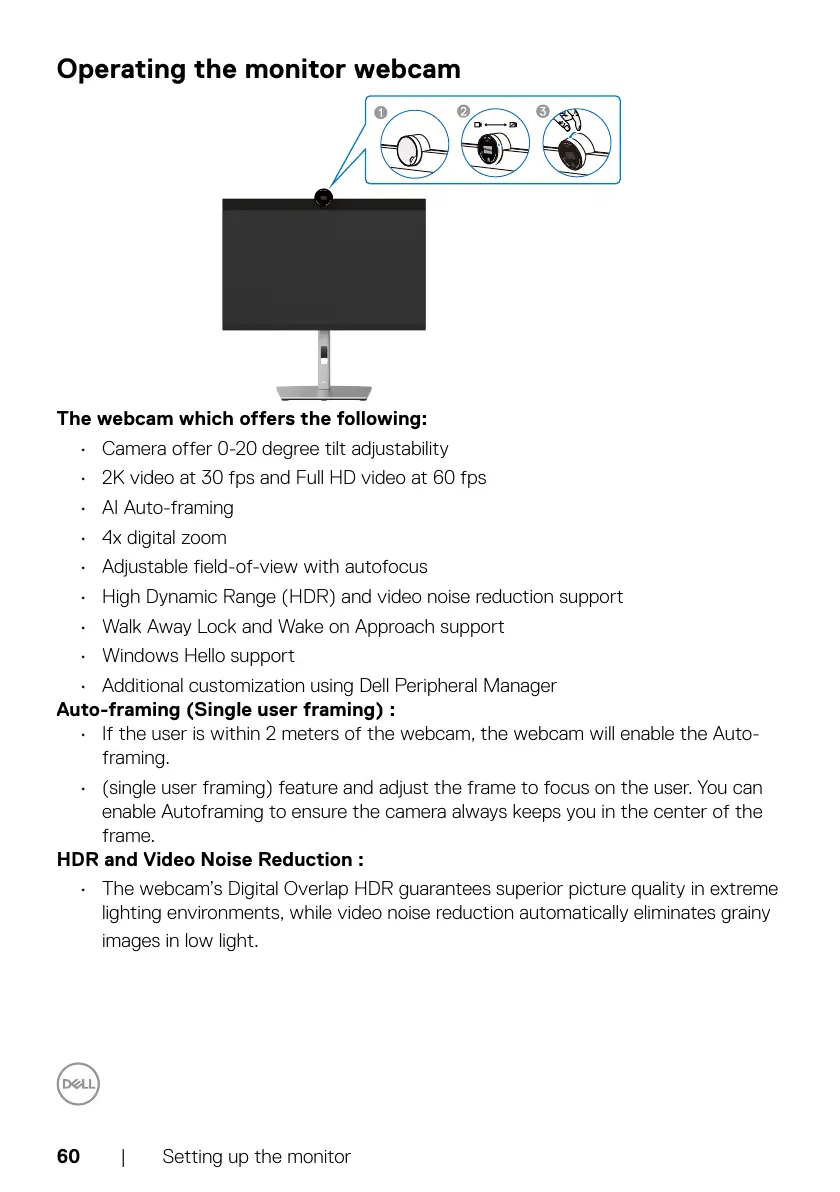
The webcam which offers the following:
• Camera offer 0-20 degree tilt adjustability
• 2K video at 30 fps and Full HD video at 60 fps
• AI Auto-framing
• 4x digital zoom
• Adjustable field-of-view with autofocus
• High Dynamic Range (HDR) and video noise reduction support
• Walk Away Lock and Wake on Approach support
• Windows Hello support
• Additional customization using Dell Peripheral Manager
Auto-framing (Single user framing) :
• If the user is within 2 meters of the webcam, the webcam will enable the Auto-
framing.
• (single user framing) feature and adjust the frame to focus on the user. You can
enable Autoframing to ensure the camera always keeps you in the center of the
frame.
HDR and Video Noise Reduction :
• The webcam’s Digital Overlap HDR guarantees superior picture quality in extreme
lighting environments, while video noise reduction automatically eliminates grainy
images in low light.



 To Next Page