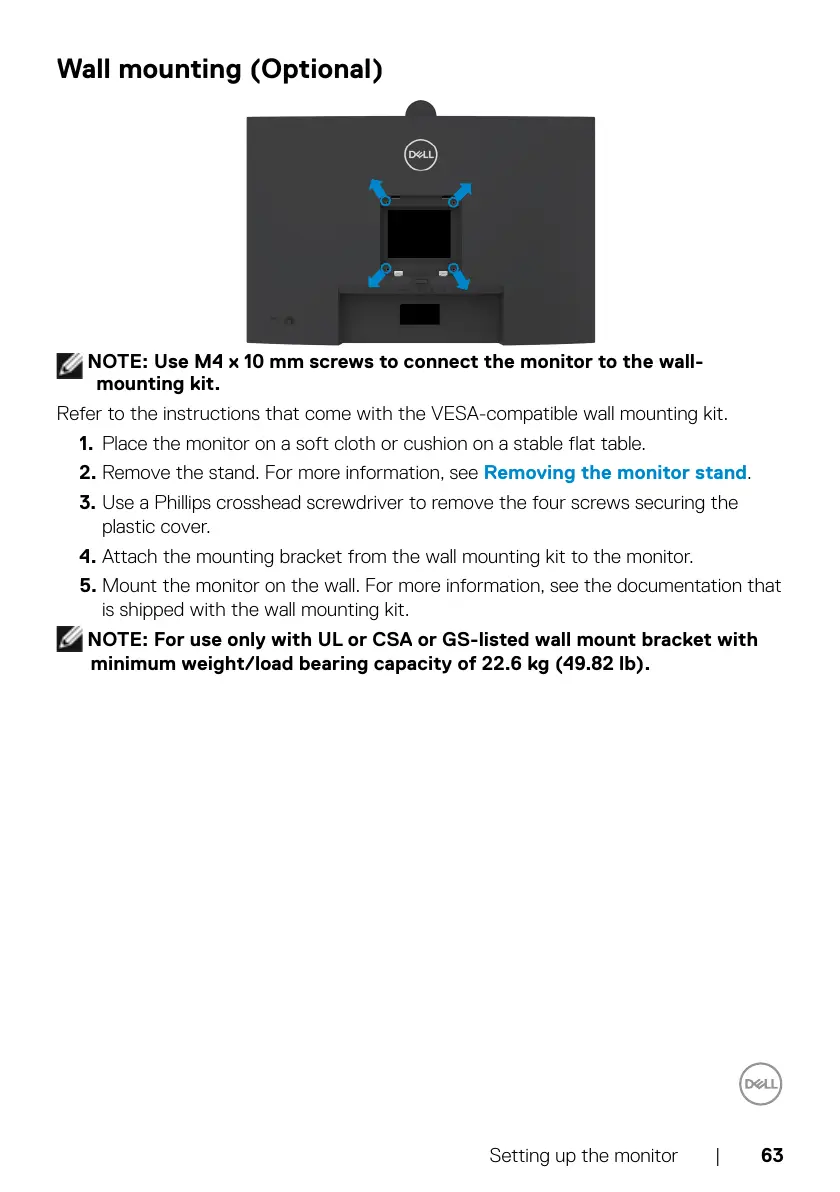
NOTE: Use M4 x 10 mm screws to connect the monitor to the wall-
mounting kit.
Refer to the instructions that come with the VESA-compatible wall mounting kit.
1. Place the monitor on a soft cloth or cushion on a stable flat table.
2. Remove the stand. For more information, see
Removing the monitor stand.
3. Use a Phillips crosshead screwdriver to remove the four screws securing the
plastic cover.
4. Attach the mounting bracket from the wall mounting kit to the monitor.
5. Mount the monitor on the wall. For more information, see the documentation that
is shipped with the wall mounting kit.
NOTE: For use only with UL or CSA or GS-listed wall mount bracket with
minimum weight/load bearing capacity of 22.6 kg (49.82 lb).



 To Next Page