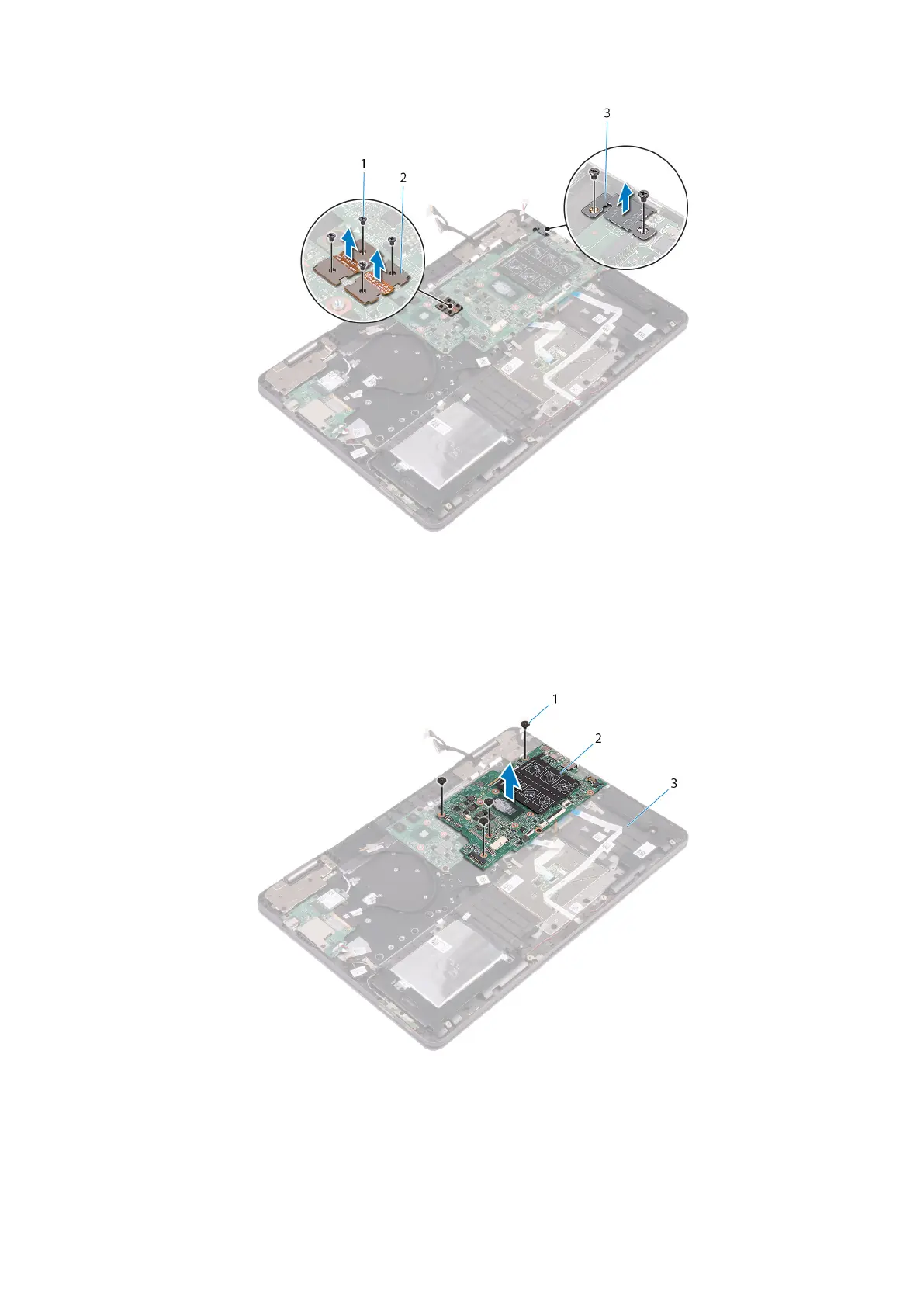
Figure 31. Removing the brackets
a. screws (6)
b. graphics daughter-board brackets
c. USB Type-C bracket
12. Remove the four screws (M2x2 Big Head) that secure the system board to the palm-rest assembly.
13. Lift the system board off the palm-rest assembly.
Figure 32. Removing the system board
a. screws (4)
b. system board
c. palm-rest assembly
64
Removing the system board



 To Next Page