Dell Web Management for Projectors
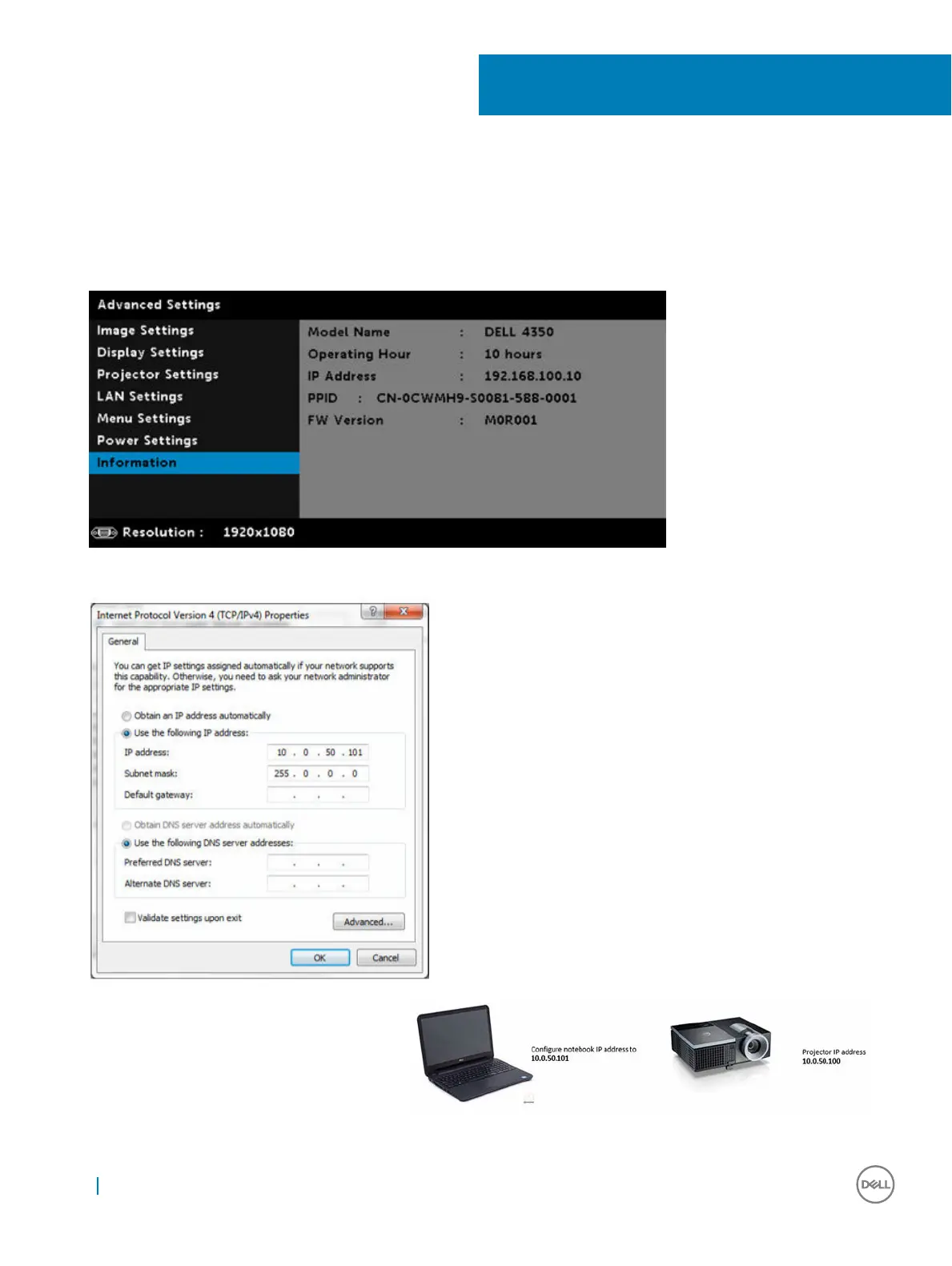
To access the Dell web management tool you need to set the IP addresses for your computer and the projector.
1 Press the Info key on the remote control to display the IP address of the projector, or by navigating to OSD Menu > Advanced
Settings > Information. By default, the IP address is 10.0.50.100
2 In the computer’s IP Properties tab, specify an IP address by selecting Use the following IP address and enter the following values:
For IP address: 10.0.50.101 and for Subnet Mask: 255.0.0.0 (leave all other entries as blanks).
3 The IP address configuration would now look like this:
21
36 Dell Web Management for Projectors



 To Next Page