4
DELL P3424WEB
S21
S22
S20
S19
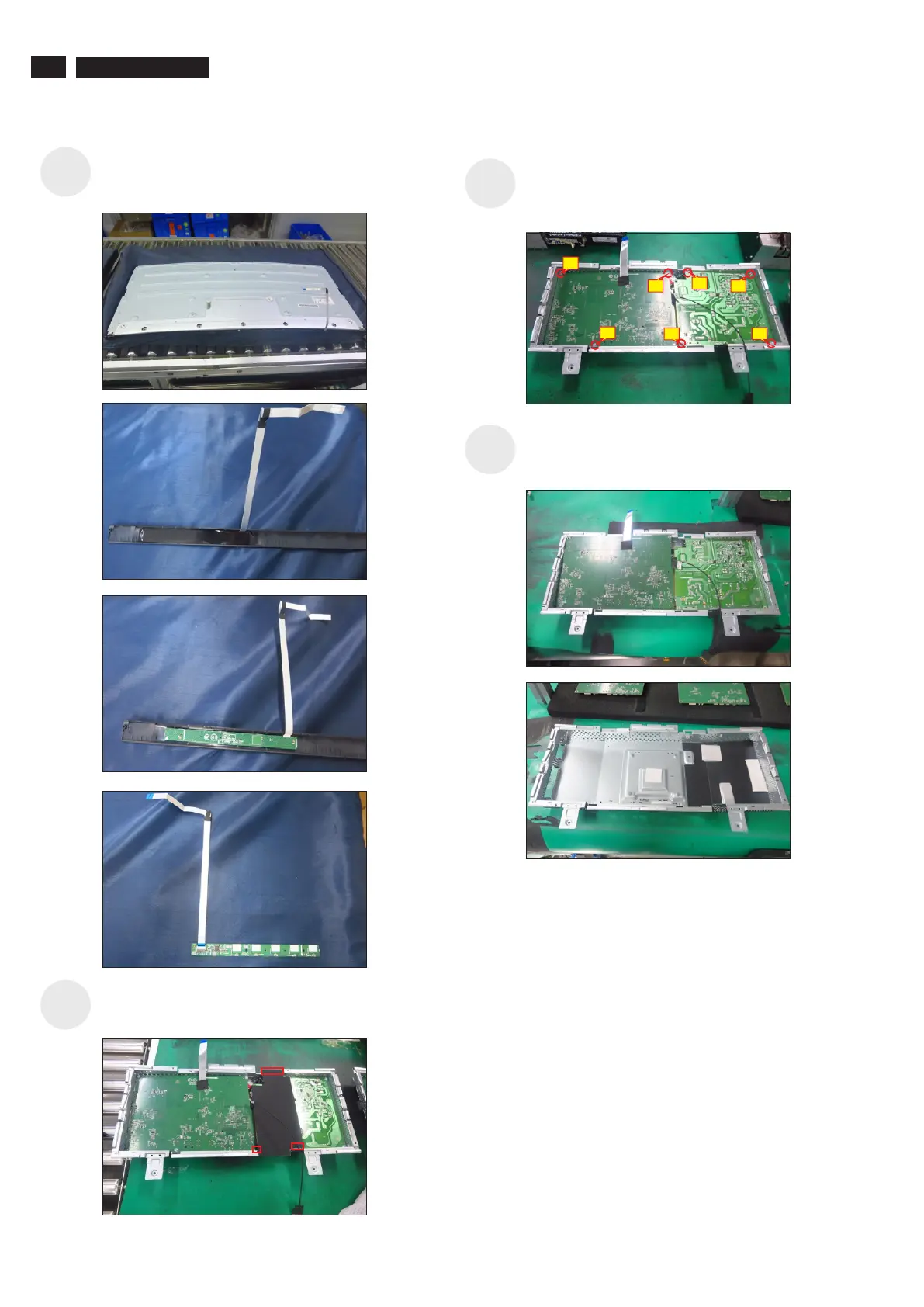
(No.1 screw size=M4x8, Torque=7.5±0.5kgfxcm;
Use a Philips-head screwdriver to remove 7pcs
screws for interface board and power board.
No.2~7 screw size=M4x8, Torque=7.5±0.5kgfxcm)
Release the power board and interface board from
the bracket chassis module carefully, and then
disconnect all of the cables.
Release the Mylar tape from the hooks of the
bracket chassis module.
Release the touch key cable away from the panel,
then disassemble the front bezel with the panel, then
tear off the mylar tape and release the touch board.
1
3
2
7
5
6
4



 To Next Page