5
DELL P3424WEB
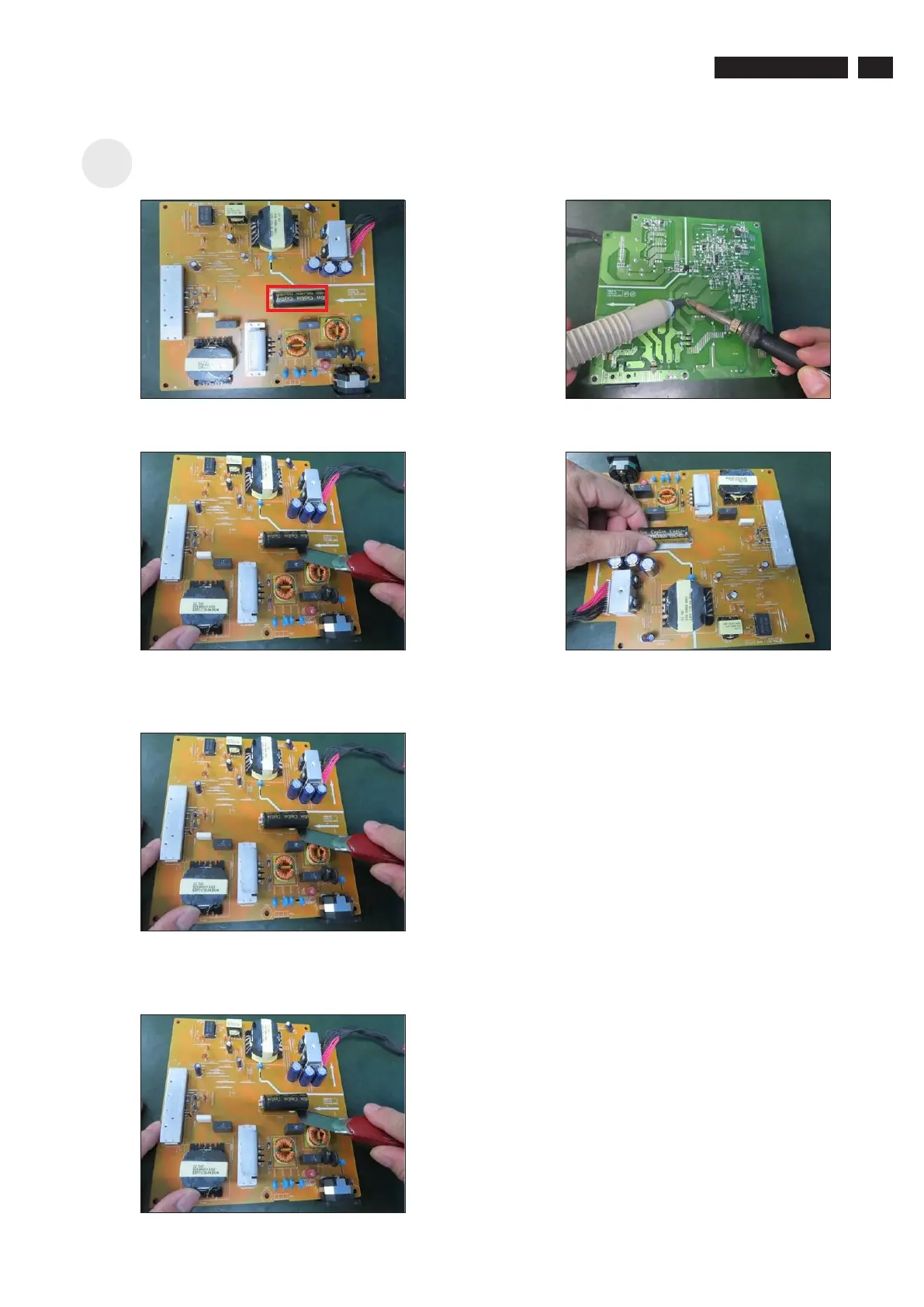
Remove electrolyte capacitors (red mark) from
printed circuit boards.
S23
S23-1 Cut the glue between bulk cap. and PCB with a knife.
S23-2 Ensure cutting path within the glue, don’t touch bulk
cap. or PCB.
S23-4 Take out bulk cap. pin solder with soldering iron and
absorber.
S23-5 Lift the bulk cap. up and away from the PCB.
S23-3 Cut into the bottom of bulk cap. and pullit up
carefully.



 To Next Page