Operating the monitor | 43
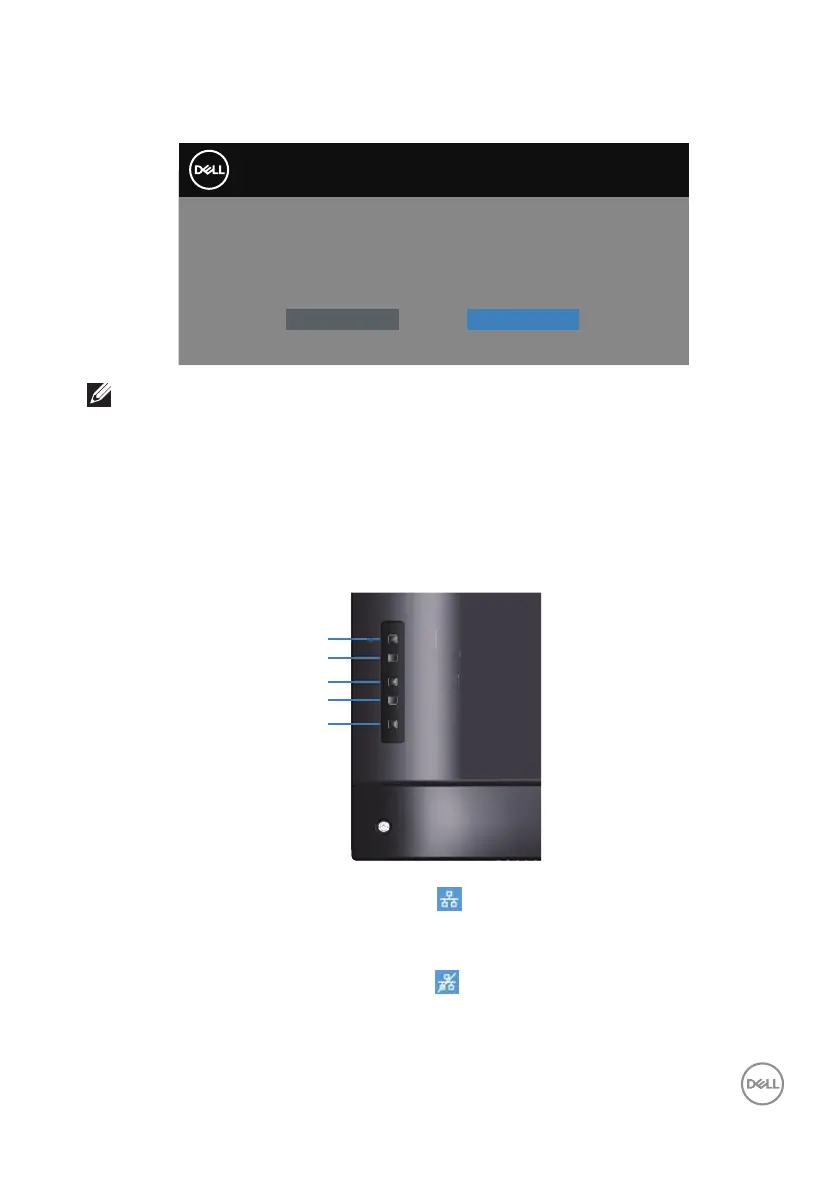
When you adjust the Brightness level for the first time, the following message
appears:
Adjusting to this value will increase power consumption above the
default level. Do you want to continue?
Yes
No
Dell 55 Monitor
P5524Q
NOTE: If you select Yes, the message will not appear next time when
you intend to change the Brightness setting.
See About your monitor for more information.
Dell ethernet/web management for monitors
Before accessing the Dell Display Web Management feature, ensure the Ethernet is
working normally.
Menu
Exit
Power
Down
Up
x
r
Ethernet Enable:Hold the Up key (button 1) for 4 seconds to enable Ethernet
(when Ethernet disabled), A network icon appears and is shown on center of
display screen for 4 seconds.
Ethernet Disable:Hold the Up key (button 1) for 4 seconds to disable Ethernet
(when Ethernet enabled), A network icon appears and is shown on center of
display screen for 4 seconds.



 To Next Page