About your monitor | 7
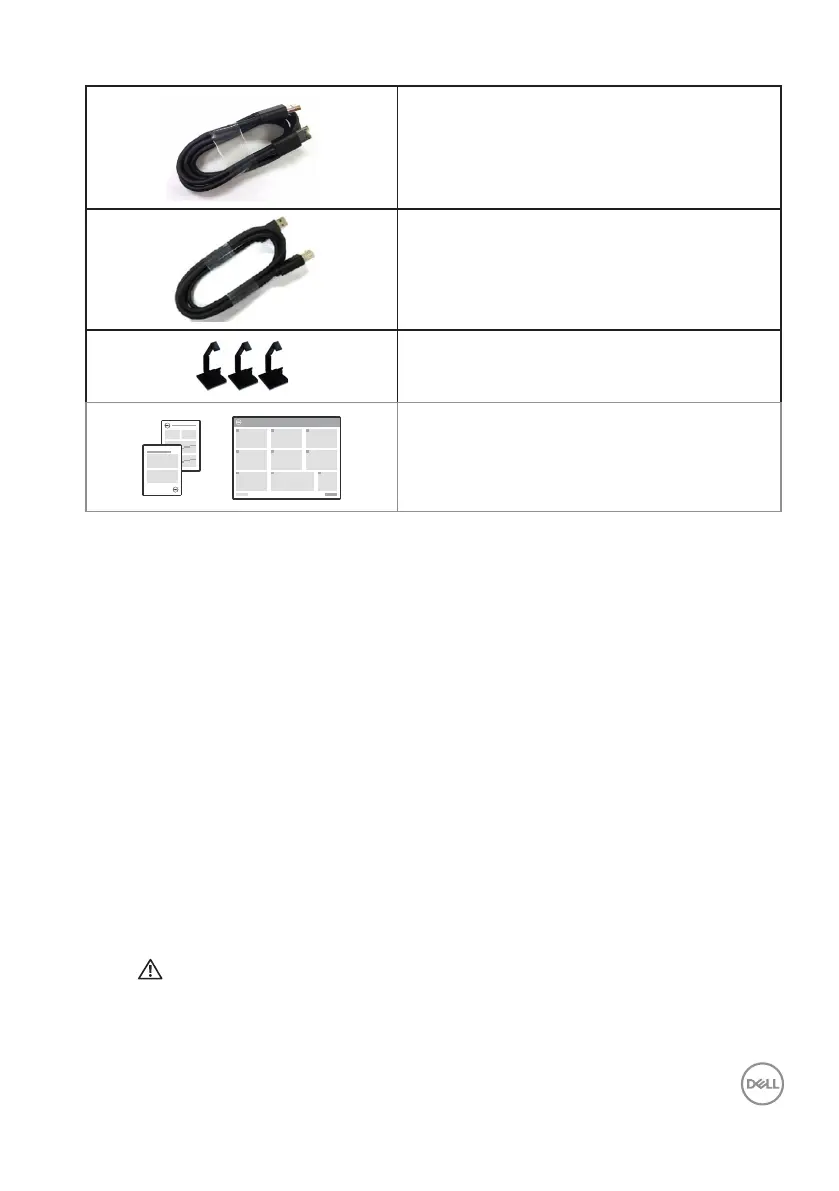
DP cable (DP to DP)
USB 3.0 upstream cable (enables the USB
ports on the monitor)
Cable clips: 3 pcs
• Quick Start Guide
• Safety, Environmental and Regulatory
Information
Product Features
The Dell P5524Q flat panel monitor has an active matrix, Thin-Film Transistor (TFT),
Liquid Crystal Display (LCD), and LED backlight. The monitor’s features include:
• P5524Q: 1386.84 mm (54.6 in.) viewable area display (measured diagonally),
3840 x 2160 resolution, plus full-screen support for lower resolutions.
• Video Electronics Standards Association (VESA) 400 mm x 400 mm mounting
holes for flexible mounting solutions.
• Plug and play capability if supported by your system.
• Digital connectivity with DisplayPort and HDMI.
• On-Screen Display (OSD) adjustments for ease of set-up and screen
optimization.
• Security lock slot
• Asset Management Capability.
• ≤0.5 W in the Standby Mode.
• Optimize eye comfort with a flicker-free screen.
WARNING: The possible long-term effects of blue light emission
from the monitor may cause damage to the eyes, including eye fatigue,
digital eye strain, and so on. ComfortView feature is designed to
reduce the amount of blue light emitted from the monitor to optimize
eye comfort.



 To Next Page