Disassembly and reassembly
Recommended Tools
The procedures in this document may require the following tools:
● Small flat-blade screwdriver
● #0 Phillips screwdriver
● #1 Phillips screwdriver
● T5 Torx screwdriver
● Small plastic scribe
Base cover
Removing the Base Cover
Steps
1. Follow the procedures in Before Working Inside Your Computer.
2. Close the display and turn the computer over.
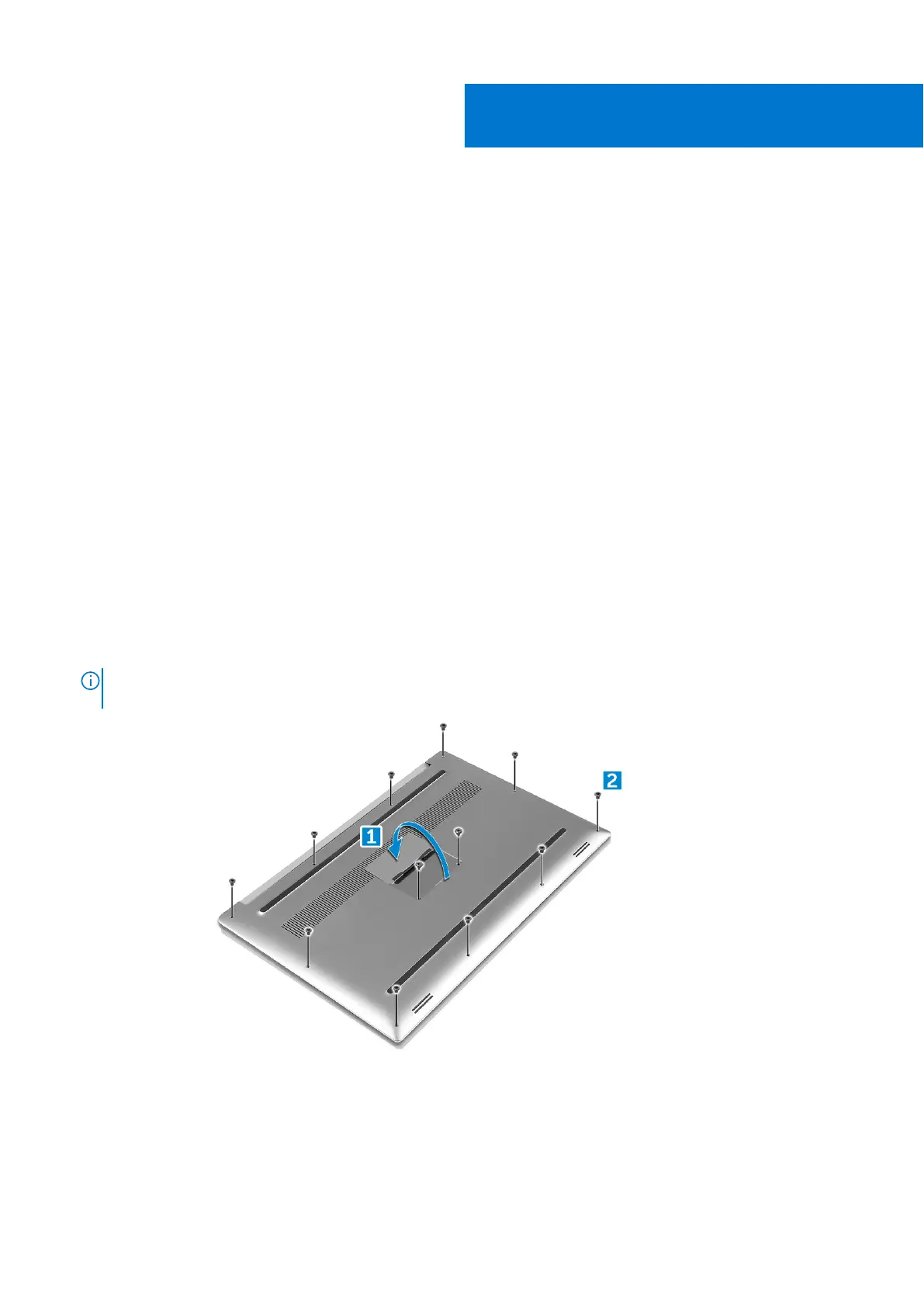
3. Turn the system badge flap over (1) and then remove the ten M2x3 screws that secure the base cover to the computer (2).
NOTE:
Use a Torx #5 screwdriver for the base screws and a Philips screwdriver for the two M2x8 screws inside the
badge flap.
4. Pry the edges of the base cover and lift it to remove it from the computer.
3
12 Disassembly and reassembly





 To Next Page