a. Base cover
b. battery
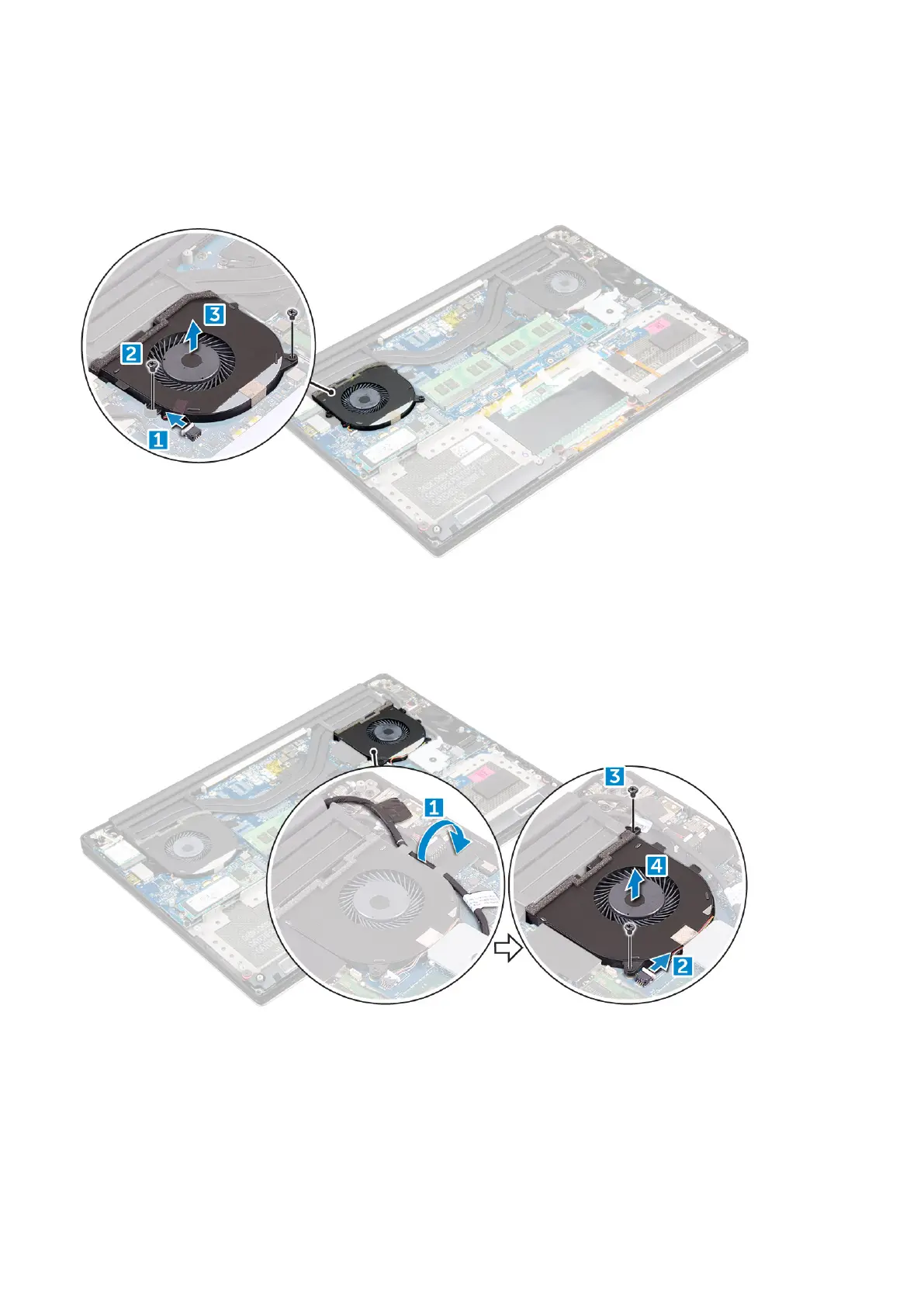
3. Perform the following steps to remove the left video-card fan:
a. Disconnect the fan cable from the system board [1].
b. Remove the two M2x4 screws that secure the fan to the system board[2].
c. Lift the fan away from the computer [3]
4. Perform the following steps to remove the right system fan:
a. Un-thread the LVDS cable from its restraints [1].
b. Disconnect the fan cable from the system board [2]
c. Remove the two M2x4 screws that secure the fan to the computer [3].
d. Lift the fan away from the computer [4].
Installing the Fans
Steps
1. Perform the following steps to install the system fan:
a. Align the screw holes on the left fan with the screw holes on the palm-rest assembly.
b. Connect the left fan cable to the system board.
24
Disassembly and reassembly





 To Next Page