d. heatsink
e. SSD
f. memory module
g. system board
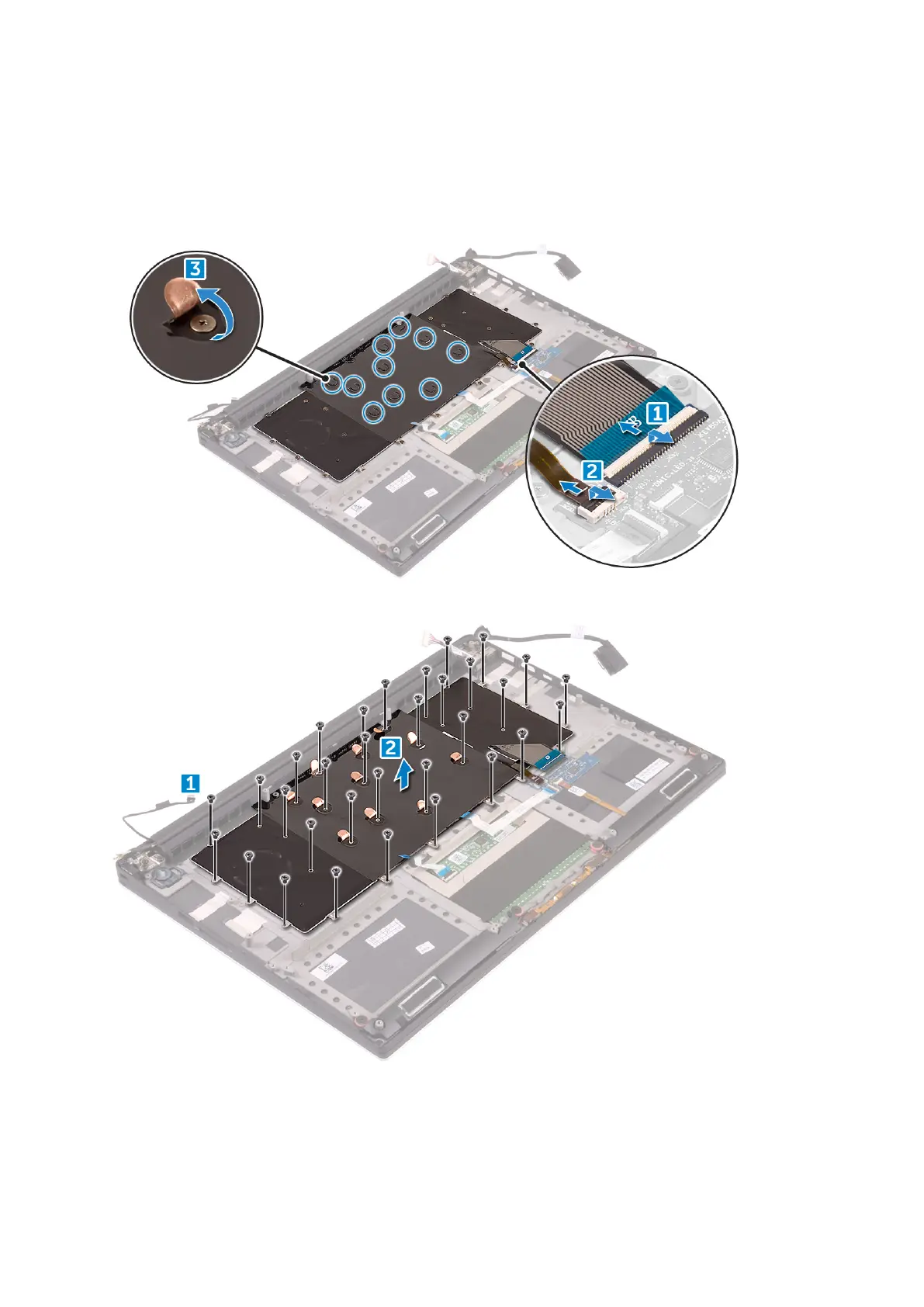
3. Perform the following steps to disconnect the keyboard and backlight connectors from the computer.
a. Lift up the connector lock [1] and the disconnect the cables from the connectors [2].
b. Peel back the screw shields [3].
4. Un-route the LVDS cable [1] and then remove the 31 M1.6 x 1.5 screws that secure the keyboard to the computer [2].
5. Lift and remove the keyboard from the computer.
20
Disassembly and reassembly





 To Next Page