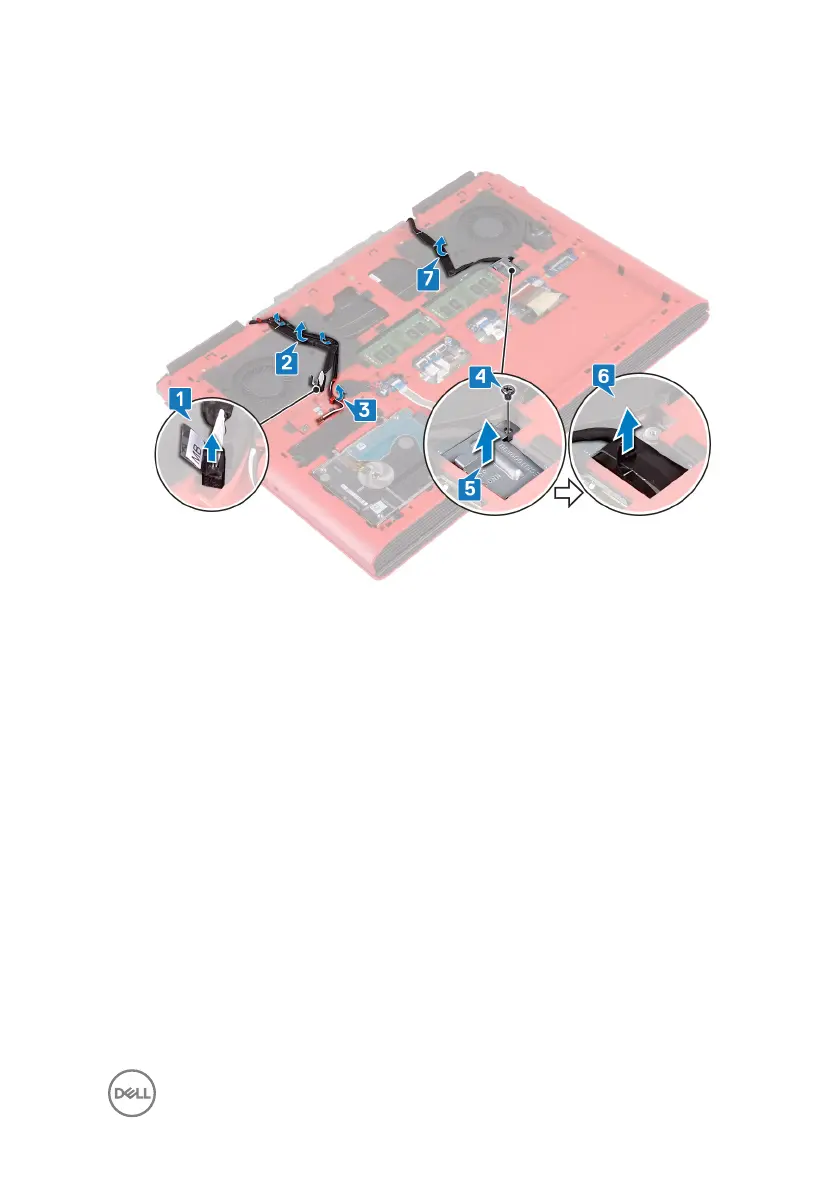
7 Remove the display cable from the routing guides on the computer base and
peel the display cable o the computer base.
8 Open the latch and disconnect the power-button board cable from the system
board.
9 Open the latch and disconnect the keyboard-backlight cable from the system
board.
10 Open the latch and disconnect the touchpad cable from the system board.
11 Peel o the tape that secures the keyboard cable to the system board.
45



 To Next Page