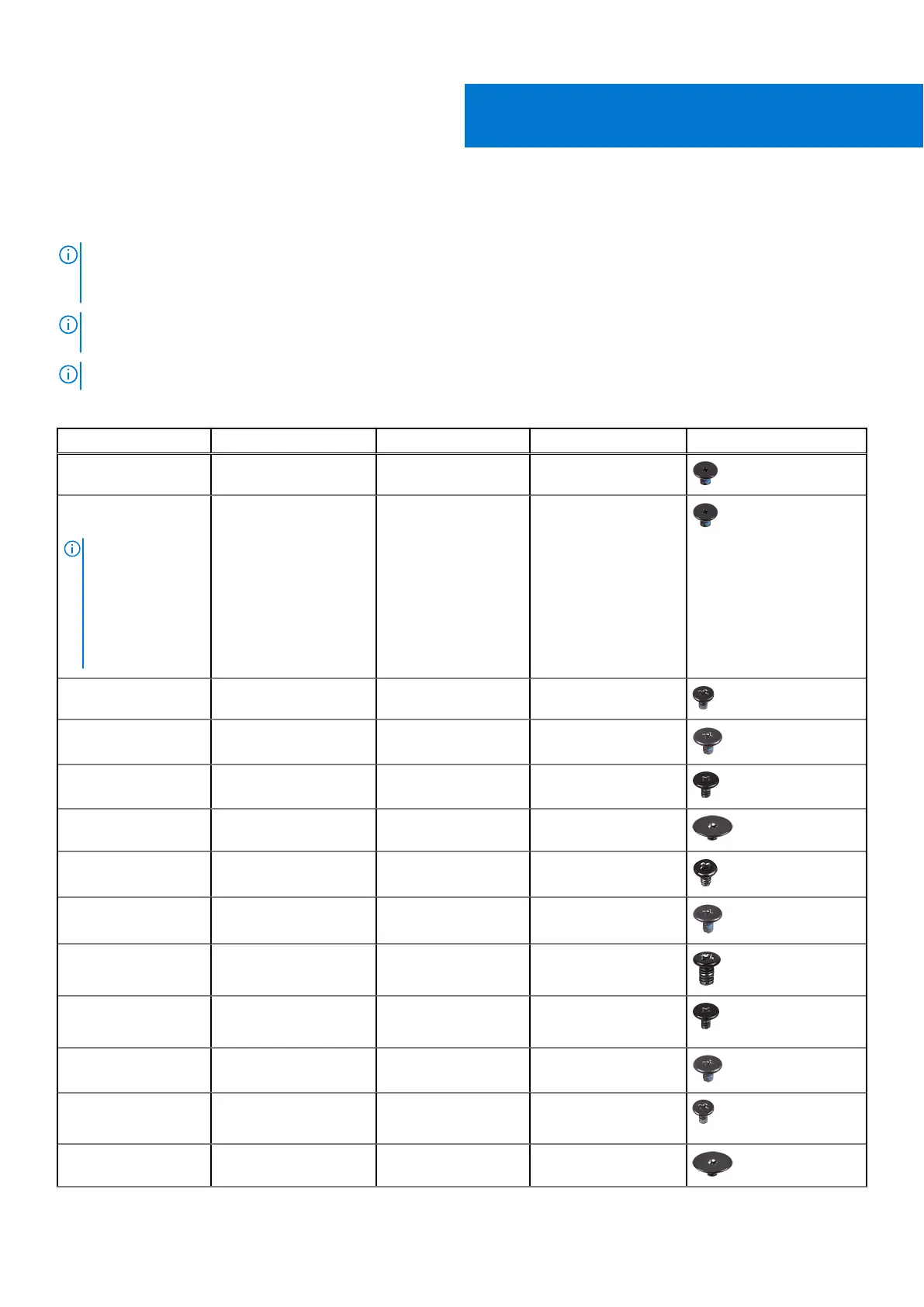
Screw list
NOTE: When removing screws from a component, it is recommended to note the screw type, the quantity of screws, and
then place them in a screw storage box. This is to ensure that the correct number of screws and correct screw type is
restored when the component is replaced.
NOTE: Some computers have magnetic surfaces. Ensure that the screws are not left attached to such surfaces when
replacing a component.
NOTE: Screw color may vary with the configuration ordered.
Table 1. Screw list
Component Secured to Screw type Quantity Screw image
Keyboard Palm-rest assembly M1.6x1.5 29
Fingerprint-reader
board
NOTE: This
component is
only available
on systems with
fingerprint reader
integrated on the
power button.
Palm-rest assembly M1.6x1.5 1
Power button Palm-rest assembly M1.4x1.7 2
System board Palm-rest assembly M1.6x2.5 10
Fans System board M1.6x3L 2
Speakers Palm-rest assembly M2x2 4
Heat sink System board M2x3 4
Headset port Palm-rest assembly M1.6x3 1
Display assembly Palm-rest assembly M2.5x4 4
Wireless antenna and
camera cable bracket
System board M1.6x3L 1
Display cable bracket System board M1.6x2.5 2
Solid-state drive shield
and solid-state drive
System board M2x3L 1
Battery Palm-rest assembly M2x2 4
5
Screw list 13



 To Next Page