Replacing the display assembly
NOTE: Before working inside your computer, read the safety information that shipped with your computer and follow
the steps in Before working inside your computer. After working inside your computer, follow the instructions in After
working inside your computer. For more safety best practices, see the Regulatory Compliance home page at www.dell.com/
regulatory_compliance.
Procedure
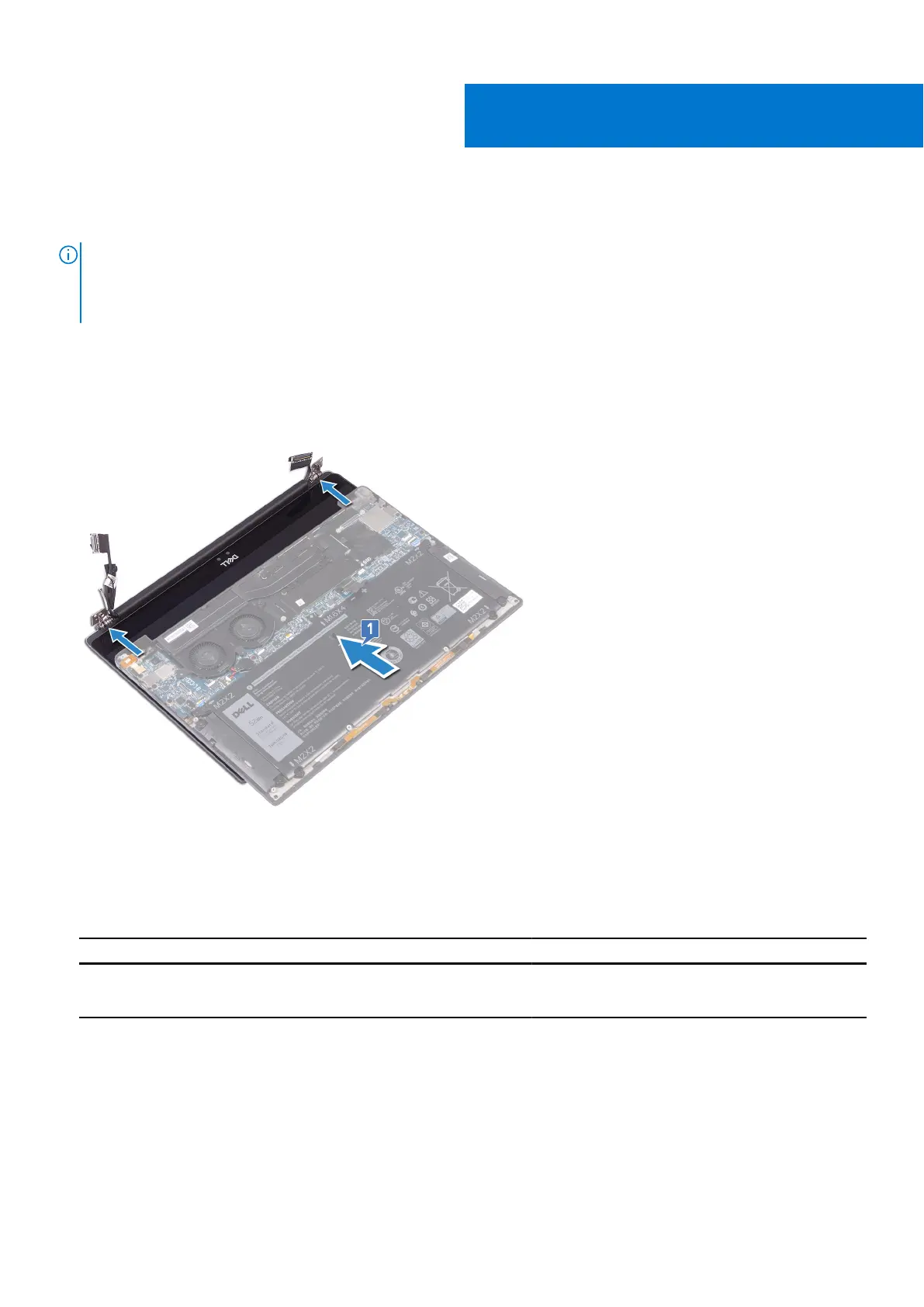
1. Ensure that the hinges are open to a 90-degree angle. Slide the palm-rest assembly under the hinges of the display
assembly.
2.
Using the alignment posts, press the display hinges down on the palm-rest assembly, aligning the screw holes on the display
hinges with the screw holes on the palm-rest assembly.
3. Connect the antenna cables to the system board.
The following table provides the antenna cable color schemes for the wireless card supported by your computer.
Table 2. Antenna-cable color scheme
Connectors on the wireless card Antenna-cable color
Main (white triangle) White
Auxiliary (black triangle) Black
21
40 Replacing the display assembly



 To Next Page