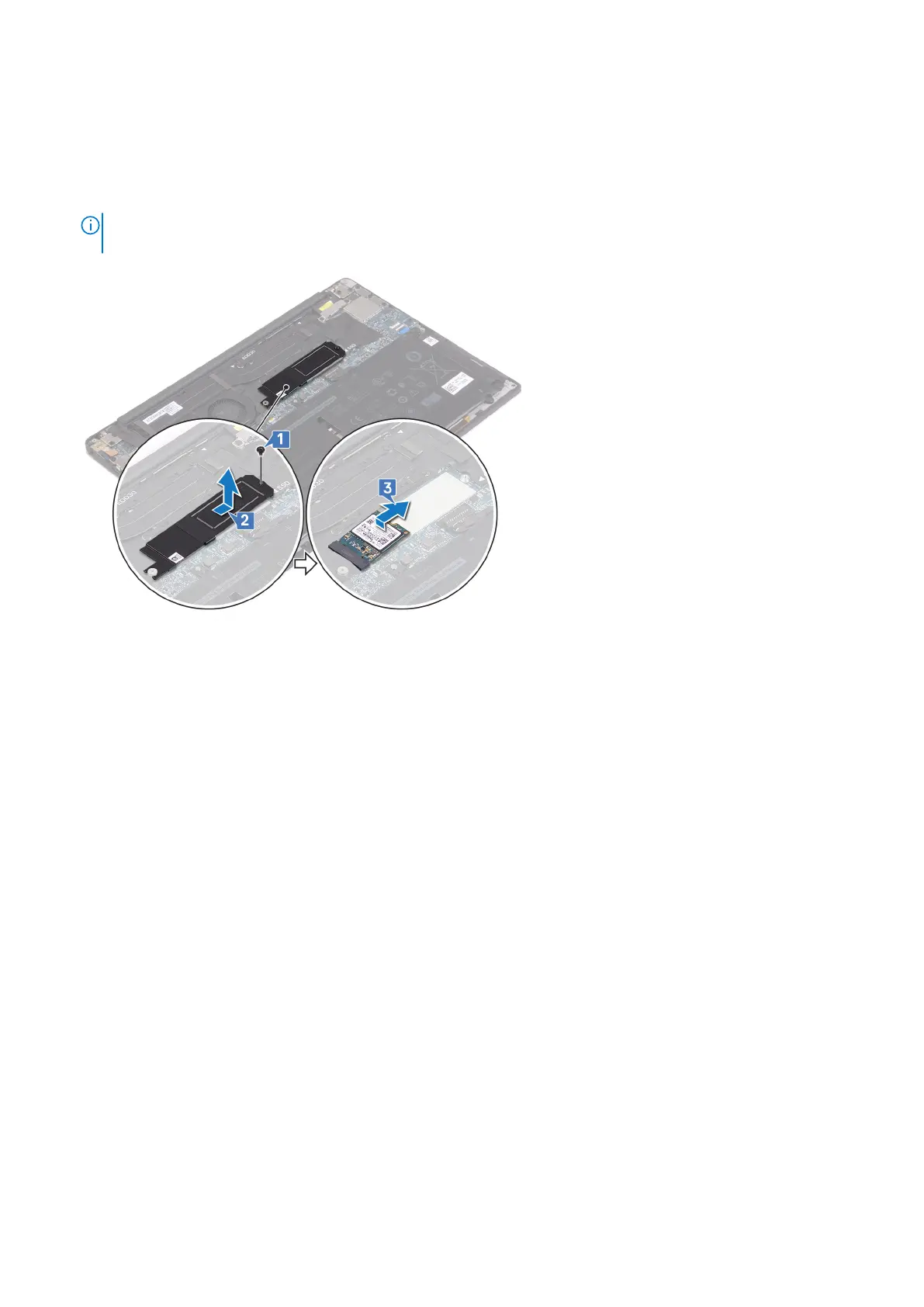
Procedure to remove M.2 2230 solid-state drive
1. Remove the screw (M2x3) that secures the solid-state drive shield and the solid-state drive to the system board.
2. Slide and remove the solid-state drive shield from the solid state drive slot.
3. Lift the solid-state drive at an angle, then slide and remove the solid-state drive from the solid-state drive slot.
NOTE: The 2230 solid-state drive has a unique thermal plate and cannot be interchanged with the 2280 solid-state
drive thermal plate.
24 Removing the solid-state drive



 To Next Page