4. Remove the battery
5. Remove the
WLAN
6. Remove the display assembly
7. Remove the display bezel
8. Remove the display panel
Steps
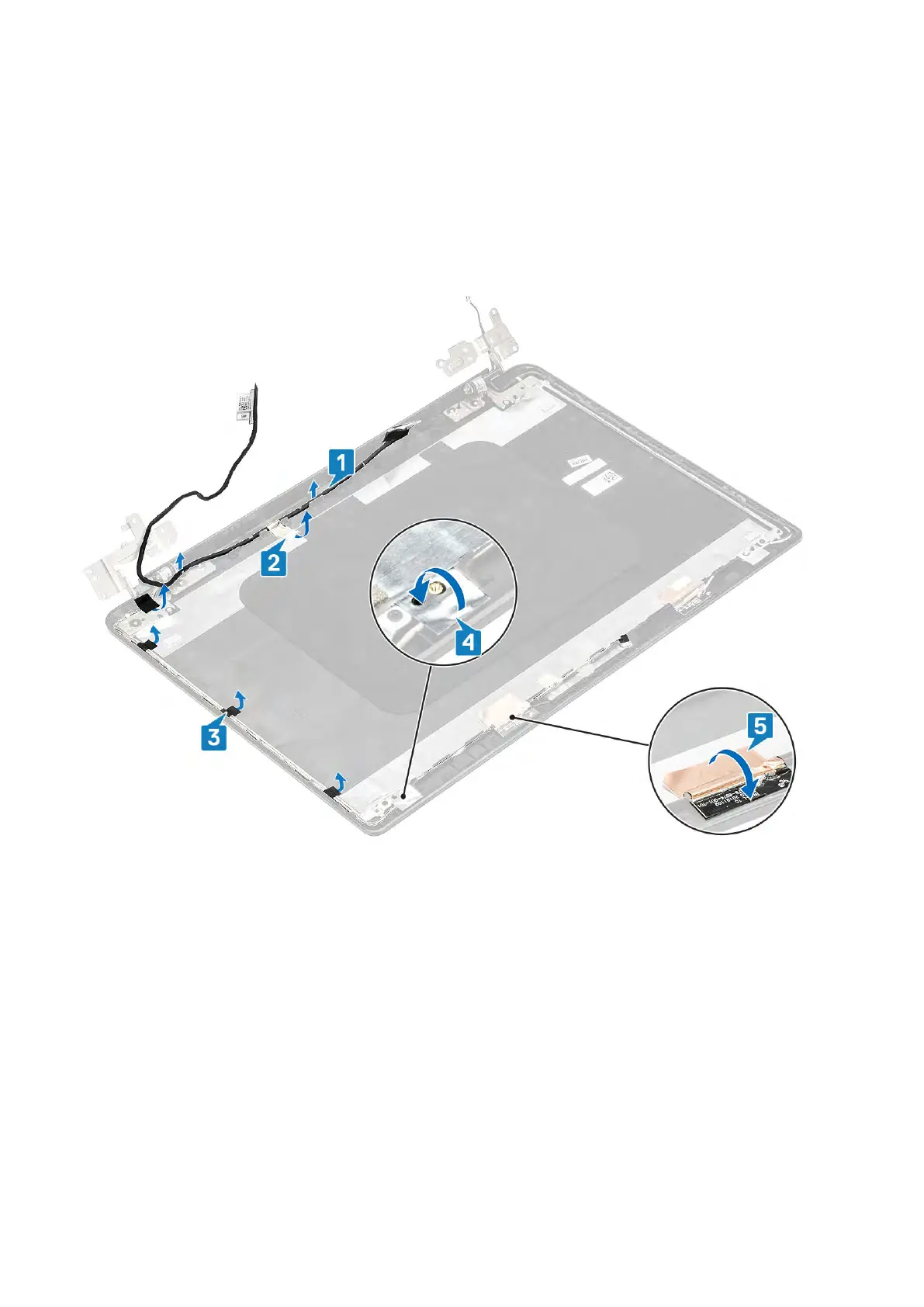
1. Remove the camera cable and the display cable from the routing guides on the display back-cover [1,2].
2. Peel the adhesive that secures the camera cable 3,4,5
.
3. Lift the camera cable and the display cable off the display back-cover.
100 Removing and installing components



 To Next Page