Removing and installing components
Recommended tools
The procedures in this document require the following tools:
• Phillips #0 screwdriver
• Phillips #1 screwdriver
• Plastic scribe
NOTE: The #0 screw driver is for screws 0-1 and the #1 screw driver is for screws 2-4.
Secure Digital Card
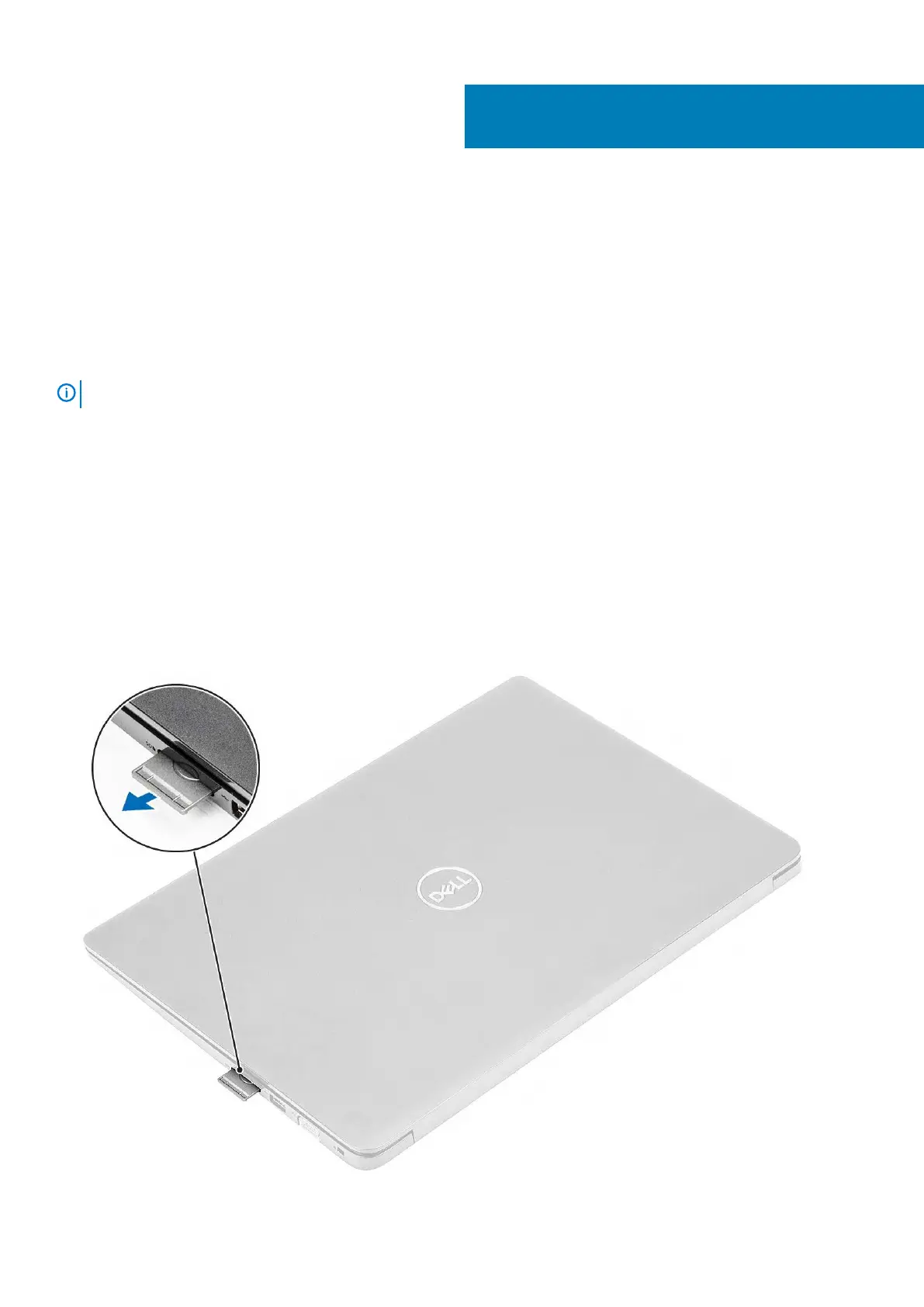
Removing the Secure Digital card
Prerequisites
1. Follow the procedure in Before working inside your computer
Steps
1. Push the secure digital card to release it from the computer.
2. Slide the secure digital card out of the computer.
4
Removing and installing components 15



 To Next Page