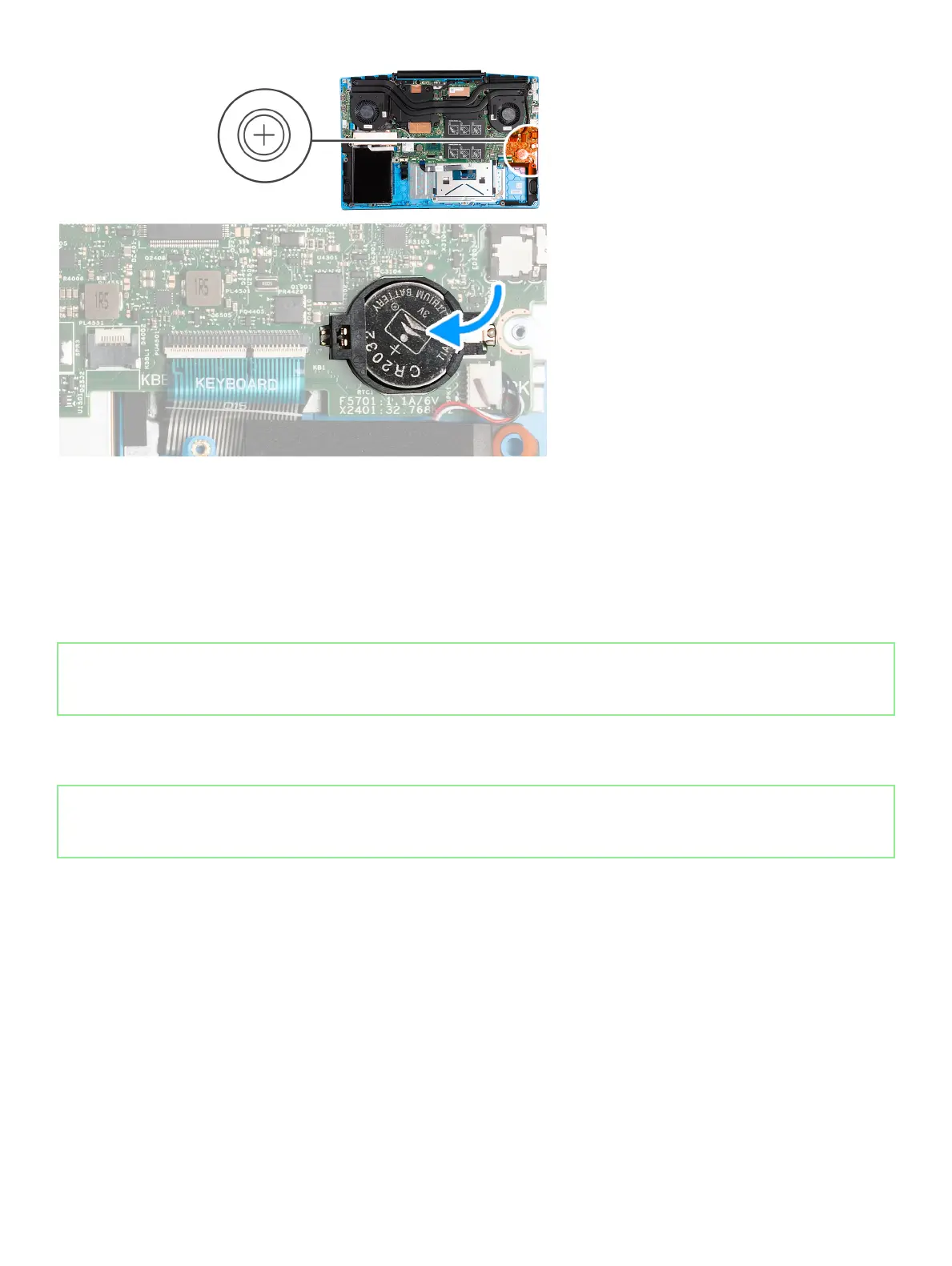
Steps
1. With the positive-side facing up, align the coin-cell battery to the slot on the palm-rest and keyboard assembly.
2. Insert the coin-cell battery at an angle back into the slot on the palm-rest and keyboard assembly.
Next steps
1. Install the base cover.
2. Follow the procedure in After working inside your computer.
Solid-state drive/Intel Optane memory module
Removing the solid-state drive/Intel Optane memory module
Prerequisites
If you are removing the Intel Optane memory module (optional) from your computer, disable the Intel Optane memory so that all
cached system data are moved from the Intel Optane memory module to the SATA drive. For more information about disabling
the Intel Optane memory, see Disabling Intel Optane memory.
1. Follow the procedure in Before working inside your computer.
2. Remove the base cover.
About this task
The following image indicates the location of the solid-state drive/Intel Optane memory module and provides a visual
representation of the removal procedure.
20
Removing and installing components



 To Next Page