Table 1. Operating system setup (continued)
Operating system Setup instructions
how-to-configure-ubuntu-linux-after-its-first-installed-on-your-dell-pc at https://www.dell.com/
support.
NOTE: All Dell apps are not available on Ubuntu.
3. Locate and use Dell apps from the Windows Start menu—Recommended.
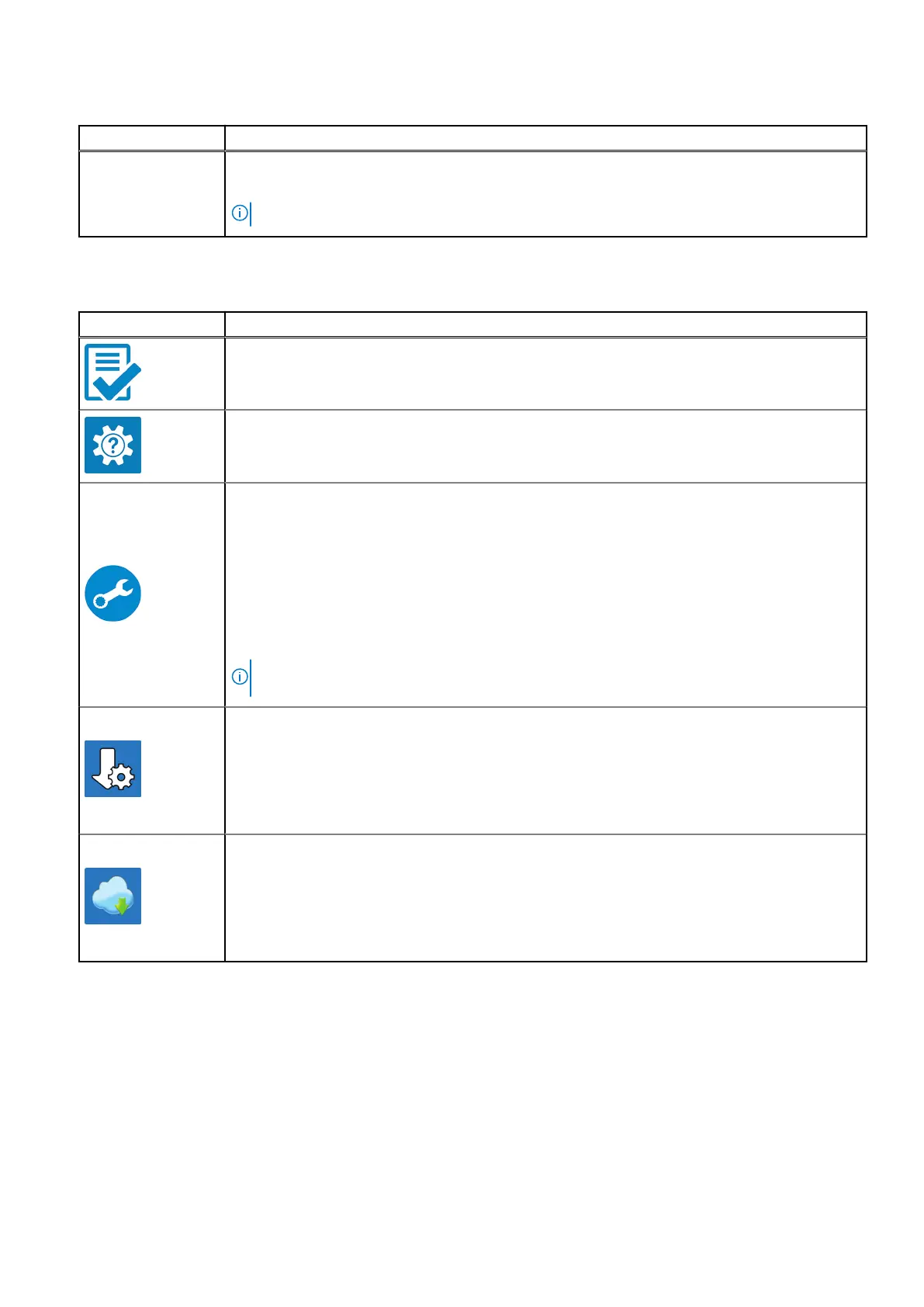
Table 2. Locate Dell apps
Resources Description
Dell Product Registration
Register your computer with Dell.
Dell Help & Support
Access help and support for your computer.
Dell SupportAssist Pre-boot System Performance Check
Dell SupportAssist Preboot System Performance Check is the smart technology that keeps your
computer running at its best by optimizing settings, detecting issues, removing viruses and
notifies when you must make computer updates. Dell SupportAssist Pre-boot System Performance
Check proactively checks the health of your computer hardware and software. When an issue is
detected, the necessary computer state information is sent to Dell to begin troubleshooting. Dell
SupportAssist Pre-boot System Performance Check is pre-installed on most of the Dell devices
running Windows operating system. For more information, see Dell SupportAssist Pre-boot System
Performance Check for Home PCs User Guide on https://www.dell.com/serviceabilitytools.
NOTE: In Dell SupportAssist Pre-boot System Performance Check, click the warranty expiry
date to renew or upgrade your warranty.
Dell Update
Dell Update performs critical fixes and updates latest available device on
your computer. For more information about using Dell Update, see the
knowledge base article https://www.dell.com/support/kbdoc/en-in/000149088/dell-update-
overview-and-common-questions at https://www.dell.com/support/home/product-support/
product/dell-supportassist-pcs-tablets/manuals.
Dell Digital Delivery
Download software applications, which are purchased but not pre-installed on
your computer. For more information about using Dell Digital Delivery, see
the knowledge base article https://www.dell.com/support/kbdoc/en-in/000129837/dell-
digital-delivery-installing-using-troubleshooting-and-faq-s at https://www.dell.com/support/home/
product-support/product/dell-supportassist-pcs-tablets/manuals.
6 Set up your Precision 5560



 To Next Page