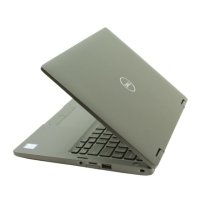
Front
1. Infrared emitter
Emits infrared light, which enables the infrared camera to sense and track motion.
2. Ambient-light sensor
The sensor detects the ambient light and automatically adjusts the keyboard backlight and display brightness.
3. RGB-infrared camera
This combined camera supports both infrared Windows Hello facial recognition and standard RGB imaging for photos and
videos.
4. Camera-status light
Turns on when the camera is in use.
5. Infrared emitter
Emits infrared light, which enables the infrared camera to sense and track motion.
6. LCD panel
Provides visual output to the user.
7. Battery-status light
Indicates the battery-charge status.
Solid white—Power adapter is connected and the battery has more than 5% charge.
Amber—Computer is running on battery and the battery has less than 5% charge.
Off—Power adapter is disconnected or the battery is fully charged.
Views of Precision 5560
9



 To Next Page