Setting up your Dell Active Pen
Installing batteries
Dell Active Pen uses one AAAA battery and two coin-cell batteries.
The AAAA battery provides power for the tip and the barrel buttons. The coin-cell
batteries provide power for Bluetooth functionality and top button quick-launch
features.
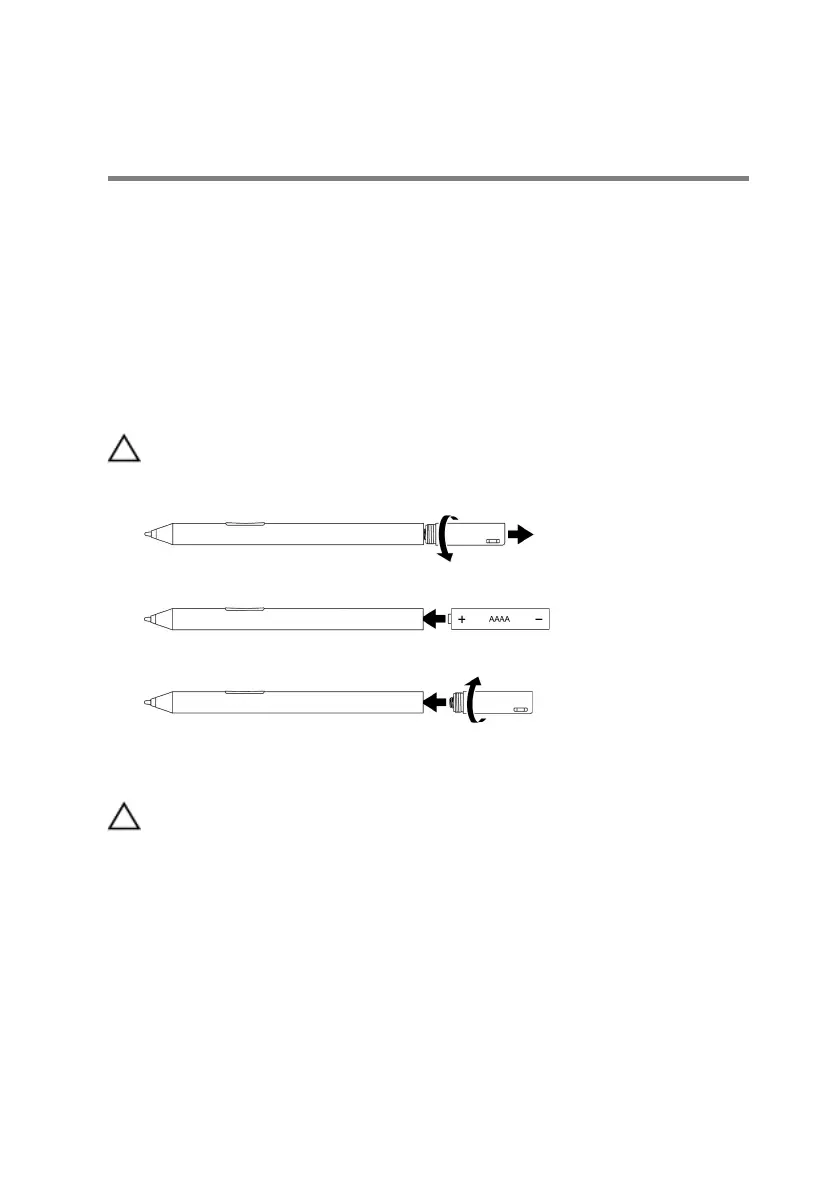
Installing the AAAA battery
CAUTION: Incorrectly installing the AAAA battery may damage the pen.
1 Remove the top cover from the pen.
2 Insert the AAAA battery into the pen with the positive side facing in.
3 Replace the top cover.
Installing the coin-cell batteries
CAUTION: Incorrectly installing the coin-cell batteries may damage the pen.
9



 To Next Page