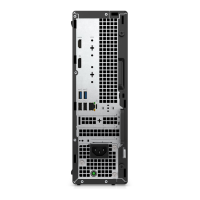
EasyManua.ls Logo

Dell OptiPlex XE4 Tower - User Manual

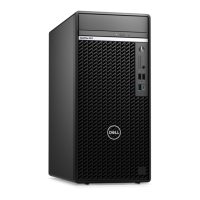
Dell OptiPlex XE4 Tower
123 pages
Print Icon
To Next Page IconTo Next Page
Loading...
OptiPlex XE4 Tower
Service Manual
Regulatory Model: D31M
Regulatory Type: D31M001
Mar 2022
Rev. A00

Table of Contents

Other manuals for Dell OptiPlex XE4 Tower

Questions and Answers

Summary

Working Inside Your Computer

Safety Instructions

General safety guidelines for working inside the computer.

ESD Protection

Procedures to prevent damage from electrostatic discharge.

Transporting Sensitive Components

Guidelines for safely transporting sensitive computer components.

After Working Inside Computer

Steps to complete after performing internal component servicing.

BitLocker Considerations

How BitLocker is affected by component installations.

Removing and Installing Components

Recommended Tools and Screw List

Tools and screw types needed for component removal and installation.

Major Components Overview

Visual identification of key internal components of the OptiPlex XE4 Tower.

Side Cover

Procedures for removing and installing the computer's side panel.

Front Bezel

Procedures for removing and installing the front chassis bezel.

2.5-inch Hard Drive Assembly

Instructions for removing and installing 2.5-inch hard drive assemblies.

3.5-inch Hard Drive Assembly

Procedures for removing and installing 3.5-inch hard drive assemblies.

Solid-State Drive (M.2)

Steps for removing and installing M.2 PCIe solid-state drives.

WLAN Card

Instructions for removing and installing the Wireless Local Area Network card.

Coin-Cell Battery

Procedures for removing and installing the coin-cell battery.

Memory Module

Steps for removing and installing RAM modules.

Expansion Cards

Instructions for removing and installing various expansion cards.

Graphical Processing Unit (GPU)

Procedures for removing and installing the powered GPU.

Slim Optical Drive

Steps for removing and installing the slim optical disk drive.

Slim Optical Drive Bracket

Procedures for removing and installing the slim ODD bracket.

Speaker

Instructions for removing and installing the internal speaker.

Power-Supply Unit (PSU)

Steps for removing and installing the power supply unit.

Processor Fan and Heat-Sink Assembly

Procedures for removing and installing the CPU fan and heat sink.

Processor

Steps for removing and installing the CPU processor.

Communication Card

Instructions for removing and installing a communication card.

Chassis Fan

Procedures for removing and installing the chassis cooling fan.

Voltage Regulator Heat Sink

Steps for removing and installing the VR heat sink.

Power Button

Procedures for removing and installing the power button assembly.

Intrusion Switch

Instructions for removing and installing the chassis intrusion switch.

SD Card Reader (Optional)

Steps for removing and installing the optional SD card reader.

Optional Port Modules

Instructions for installing/removing DisplayPort, VGA, HDMI, Serial, Type-C, Thunderbolt modules.

Internal Antenna

Procedures for removing and installing the internal wireless antenna.

System Board Replacement

Detailed steps for removing and installing the system board.

Drivers and Downloads

Drivers and Downloads Information

Information on obtaining drivers and software updates for the computer.

BIOS Setup

Entering and Navigating BIOS Setup

How to access and navigate the BIOS setup utility.

System Setup Options

Details on various system configuration options available in BIOS.

Updating the BIOS

Procedures for updating the system's BIOS via Windows or USB.

System and Setup Passwords

How to set, change, or delete system and BIOS passwords.

Clearing CMOS Settings

Steps to reset BIOS settings by clearing CMOS.

Troubleshooting

Dell SupportAssist Diagnostics

Running pre-boot system performance check diagnostics.

Diagnostic LED Behavior

Interpreting diagnostic LED blink patterns for troubleshooting.

Recovering the Operating System

Procedures for OS recovery using Dell SupportAssist.

Real Time Clock (RTC) Reset

How to reset the system's Real Time Clock.

Backup Media and Recovery Options

Information on creating recovery media for Windows.

WiFi Power Cycle

Procedure to resolve WiFi connectivity issues by power cycling.

Getting Help and Contacting Dell

Self-Help Resources

Various online and in-app resources for Dell product support.

Contacting Dell Support

Information on how to contact Dell for sales or technical assistance.

Summary

Working Inside Your Computer

Safety Instructions

General safety guidelines for working inside the computer.

ESD Protection

Procedures to prevent damage from electrostatic discharge.

Transporting Sensitive Components

Guidelines for safely transporting sensitive computer components.

After Working Inside Computer

Steps to complete after performing internal component servicing.

BitLocker Considerations

How BitLocker is affected by component installations.

Removing and Installing Components

Recommended Tools and Screw List

Tools and screw types needed for component removal and installation.

Major Components Overview

Visual identification of key internal components of the OptiPlex XE4 Tower.

Side Cover

Procedures for removing and installing the computer's side panel.

Front Bezel

Procedures for removing and installing the front chassis bezel.

2.5-inch Hard Drive Assembly

Instructions for removing and installing 2.5-inch hard drive assemblies.

3.5-inch Hard Drive Assembly

Procedures for removing and installing 3.5-inch hard drive assemblies.

Solid-State Drive (M.2)

Steps for removing and installing M.2 PCIe solid-state drives.

WLAN Card

Instructions for removing and installing the Wireless Local Area Network card.

Coin-Cell Battery

Procedures for removing and installing the coin-cell battery.

Memory Module

Steps for removing and installing RAM modules.

Expansion Cards

Instructions for removing and installing various expansion cards.

Graphical Processing Unit (GPU)

Procedures for removing and installing the powered GPU.

Slim Optical Drive

Steps for removing and installing the slim optical disk drive.

Slim Optical Drive Bracket

Procedures for removing and installing the slim ODD bracket.

Speaker

Instructions for removing and installing the internal speaker.

Power-Supply Unit (PSU)

Steps for removing and installing the power supply unit.

Processor Fan and Heat-Sink Assembly

Procedures for removing and installing the CPU fan and heat sink.

Processor

Steps for removing and installing the CPU processor.

Communication Card

Instructions for removing and installing a communication card.

Chassis Fan

Procedures for removing and installing the chassis cooling fan.

Voltage Regulator Heat Sink

Steps for removing and installing the VR heat sink.

Power Button

Procedures for removing and installing the power button assembly.

Intrusion Switch

Instructions for removing and installing the chassis intrusion switch.

SD Card Reader (Optional)

Steps for removing and installing the optional SD card reader.

Optional Port Modules

Instructions for installing/removing DisplayPort, VGA, HDMI, Serial, Type-C, Thunderbolt modules.

Internal Antenna

Procedures for removing and installing the internal wireless antenna.
System Board Replacement

Detailed steps for removing and installing the system board.

Drivers and Downloads

Drivers and Downloads Information

Information on obtaining drivers and software updates for the computer.

BIOS Setup

Entering and Navigating BIOS Setup

How to access and navigate the BIOS setup utility.

System Setup Options

Details on various system configuration options available in BIOS.

Updating the BIOS

Procedures for updating the system's BIOS via Windows or USB.

System and Setup Passwords

How to set, change, or delete system and BIOS passwords.

Clearing CMOS Settings

Steps to reset BIOS settings by clearing CMOS.

Troubleshooting

Dell SupportAssist Diagnostics

Running pre-boot system performance check diagnostics.

Diagnostic LED Behavior

Interpreting diagnostic LED blink patterns for troubleshooting.

Recovering the Operating System

Procedures for OS recovery using Dell SupportAssist.

Real Time Clock (RTC) Reset

How to reset the system's Real Time Clock.

Backup Media and Recovery Options

Information on creating recovery media for Windows.

WiFi Power Cycle

Procedure to resolve WiFi connectivity issues by power cycling.

Getting Help and Contacting Dell

Self-Help Resources

Various online and in-app resources for Dell product support.

Contacting Dell Support

Information on how to contact Dell for sales or technical assistance.

Dell OptiPlex XE4 Tower Specifications

General IconGeneral
BrandDell
ModelOptiPlex XE4 Tower
CategoryComputer Accessories
LanguageEnglish

Related product manuals