
 To Next Page

J
Jennifer WilliamsSep 13, 2025
How to fix Intel ME (Management Engine) Error on Dell Computer Accessories?
- TTeresa BowmanSep 13, 2025
There was a timeout waiting on ME to reply to a HECI message. If the issue continues, replace the system board.

How to fix Intel ME (Management Engine) Error on Dell Computer Accessories?
There was a timeout waiting on ME to reply to a HECI message. If the issue continues, replace the system board.
General safety guidelines for working inside the computer.
Procedures to prevent damage from electrostatic discharge.
Guidelines for safely transporting sensitive computer components.
Steps to complete after performing internal component servicing.
How BitLocker is affected by component installations.
Tools and screw types needed for component removal and installation.
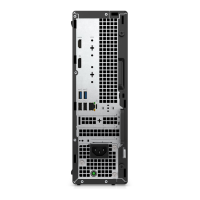
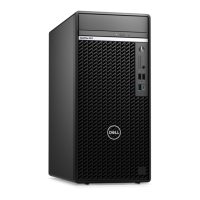
Visual identification of key internal components of the OptiPlex XE4 Tower.
Procedures for removing and installing the computer's side panel.
Procedures for removing and installing the front chassis bezel.
Instructions for removing and installing 2.5-inch hard drive assemblies.
Procedures for removing and installing 3.5-inch hard drive assemblies.
Steps for removing and installing M.2 PCIe solid-state drives.
Instructions for removing and installing the Wireless Local Area Network card.
Procedures for removing and installing the coin-cell battery.
Steps for removing and installing RAM modules.
Instructions for removing and installing various expansion cards.
Procedures for removing and installing the powered GPU.
Steps for removing and installing the slim optical disk drive.
Procedures for removing and installing the slim ODD bracket.
Instructions for removing and installing the internal speaker.
Steps for removing and installing the power supply unit.
Procedures for removing and installing the CPU fan and heat sink.
Steps for removing and installing the CPU processor.
Instructions for removing and installing a communication card.
Procedures for removing and installing the chassis cooling fan.
Steps for removing and installing the VR heat sink.
Procedures for removing and installing the power button assembly.
Instructions for removing and installing the chassis intrusion switch.
Steps for removing and installing the optional SD card reader.
Instructions for installing/removing DisplayPort, VGA, HDMI, Serial, Type-C, Thunderbolt modules.
Procedures for removing and installing the internal wireless antenna.
Detailed steps for removing and installing the system board.
Information on obtaining drivers and software updates for the computer.
How to access and navigate the BIOS setup utility.
Details on various system configuration options available in BIOS.
Procedures for updating the system's BIOS via Windows or USB.
How to set, change, or delete system and BIOS passwords.
Steps to reset BIOS settings by clearing CMOS.
Running pre-boot system performance check diagnostics.
Interpreting diagnostic LED blink patterns for troubleshooting.
Procedures for OS recovery using Dell SupportAssist.
How to reset the system's Real Time Clock.
Information on creating recovery media for Windows.
Procedure to resolve WiFi connectivity issues by power cycling.
Various online and in-app resources for Dell product support.
Information on how to contact Dell for sales or technical assistance.
 General
| Brand | Dell |
|---|---|
| Model | OptiPlex XE4 Tower |
| Category | Computer Accessories |
| Language | English |