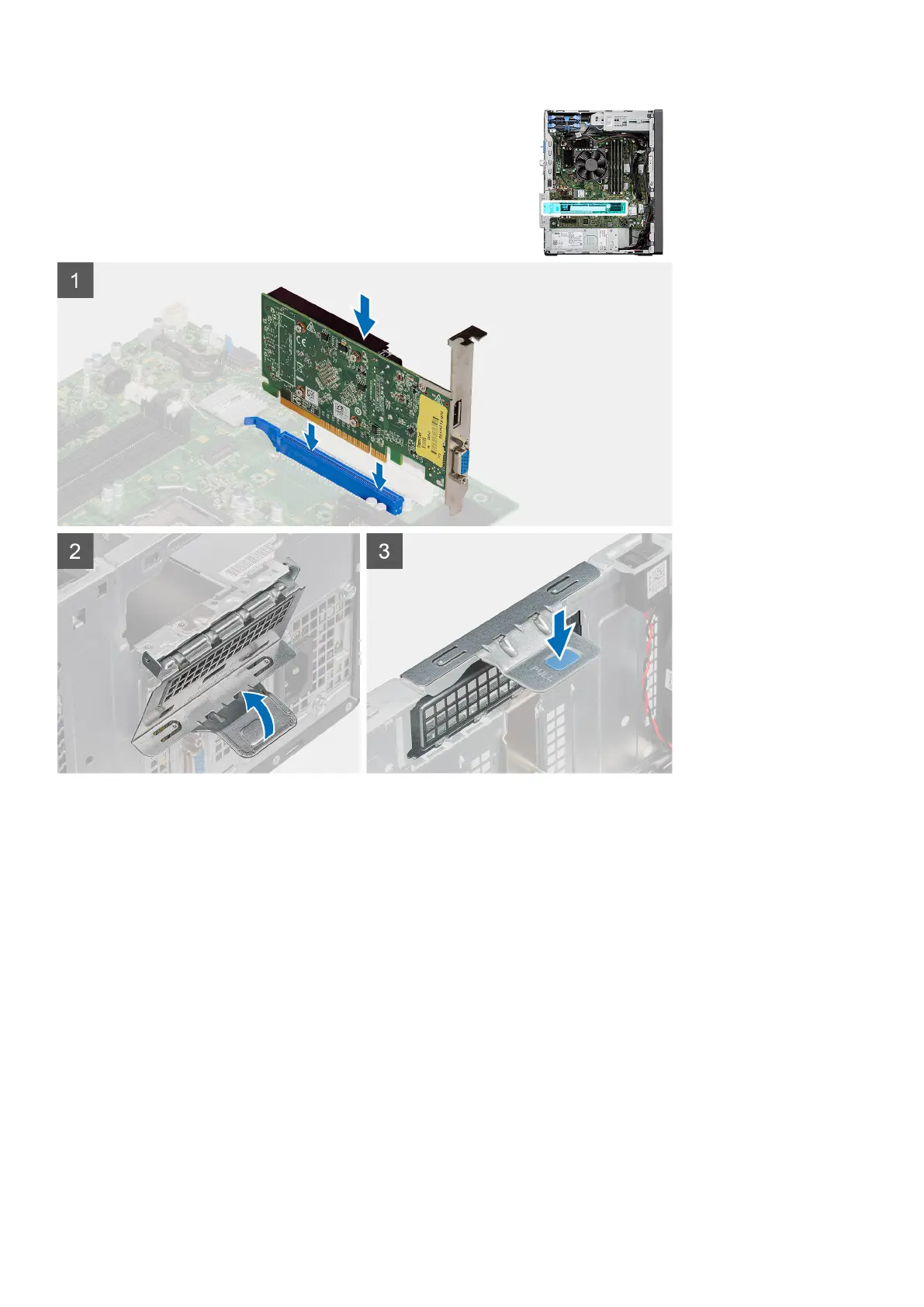
Steps
1. Align the graphics card with the PCI-Express card connector on the system board.
2. Using the alignment post, connect the graphics card in the connector and press down firmly. Ensure that the card is firmly
seated.
3. Lift the pull tab to close the PCIe door.
Next steps
1. Install the side cover.
2. Follow the procedure in after working inside your computer.
Removing optional SMA module
Prerequisites
1. Follow the procedure in before working inside your computer.
2. Remove the side cover.
Removing and installing components
39




 To Next Page