42 Installing and Configuring Hardware
NOTE: The PERC H700 Integrated and H700 Modular cards have a dedicated
storage slot. For details on the correct PCI-E location, see the
Hardware
Owner's Manual
that shipped with your system or see the appropriate
documentation available at support.dell.com/manuals.
5
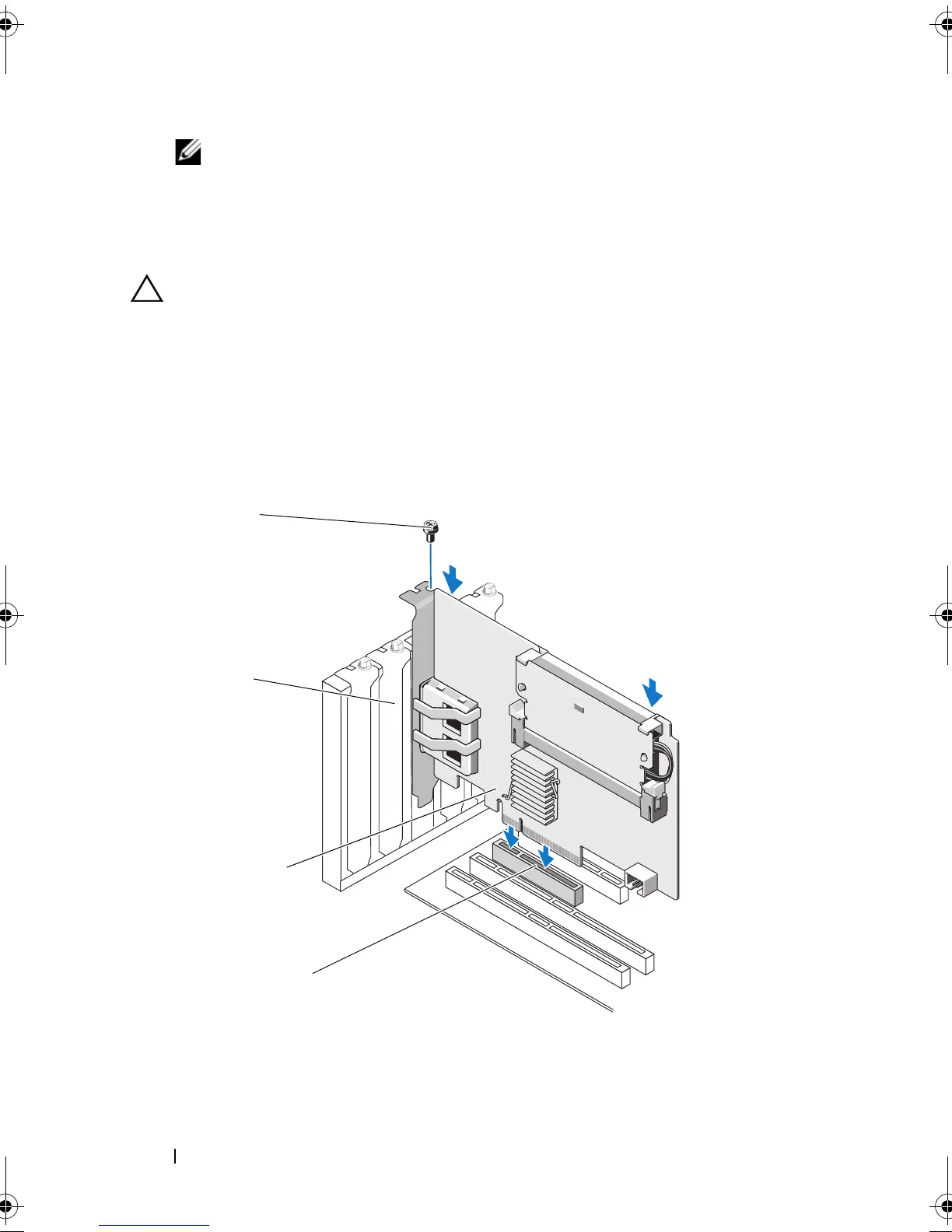
Align the PERC H700 or H800 card to the PCI-E slot you have selected.
CAUTION: Never apply pressure to the adapter module while inserting it in the
PCI-E slot. Applying pressure could break the adapter module.
6
Insert the controller gently, but firmly, until the controller is firmly seated
in the PCI-E slot. For more information on installing the PERC H800
adapter, see Figure 4-1. For more information on installing the PERC
H700 adapter, see Figure 4-2.
Figure 4-1. Installing a PERC H800 Adapter
1 PCI-e slot 2 PERC H800 adapter
3 filler bracket 4 bracket screw
PERC7.2_UG.book Page 42 Thursday, March 3, 2011 2:14 PM















 To Next Page