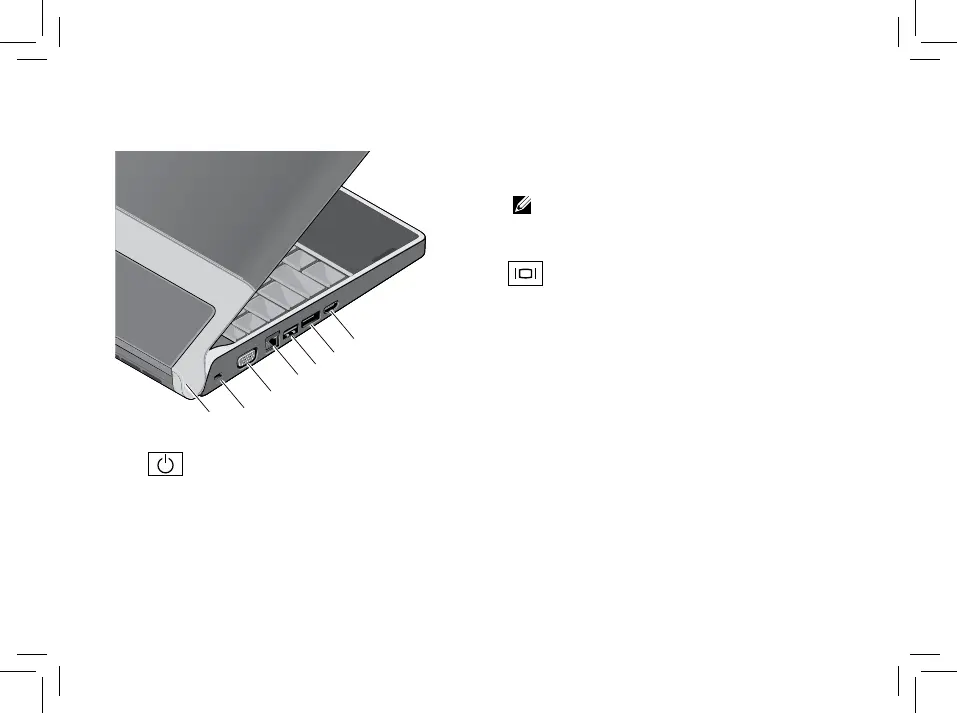
1
Power light – Turns on when the
system is powered on.
2
Security cable slot – Used to attach a
commercially available antitheft device to
the computer.
NOTE: Before you buy an antitheft
device, ensure that it works with the
security cable slot on your computer.
3
VGA connector – Connects to a
monitor or projector.



 To Next Page