Using the Optical Disc Drive
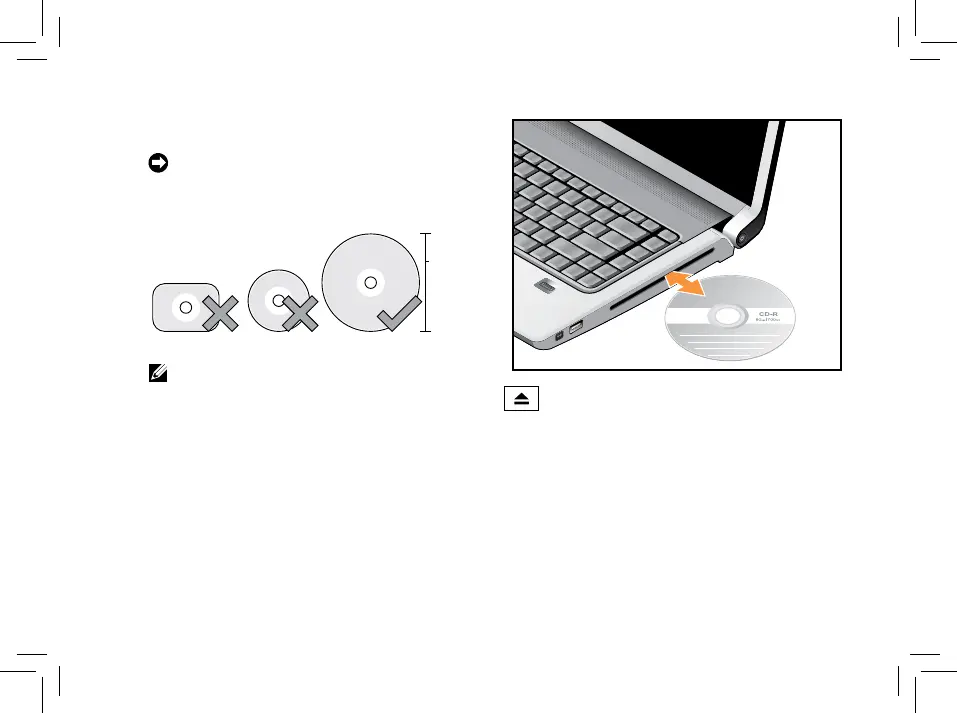
NOTICE: Do not use non-standard-size or
shape discs (including mini-CDs and mini-
DVDs) or you will damage the drive.
NOTE: Do not move the computer while
playing or recording CDs and DVDs.
Place the disc in the center of the disc slot, with
the label facing upwards and gently push the
disc into the slot. The drive will automatically
pull the disc in and begin reading its content
To eject a disc from the drive, gently
touch the eject control. The control will flash to
confirm a few seconds before ejecting the disc.



 To Next Page