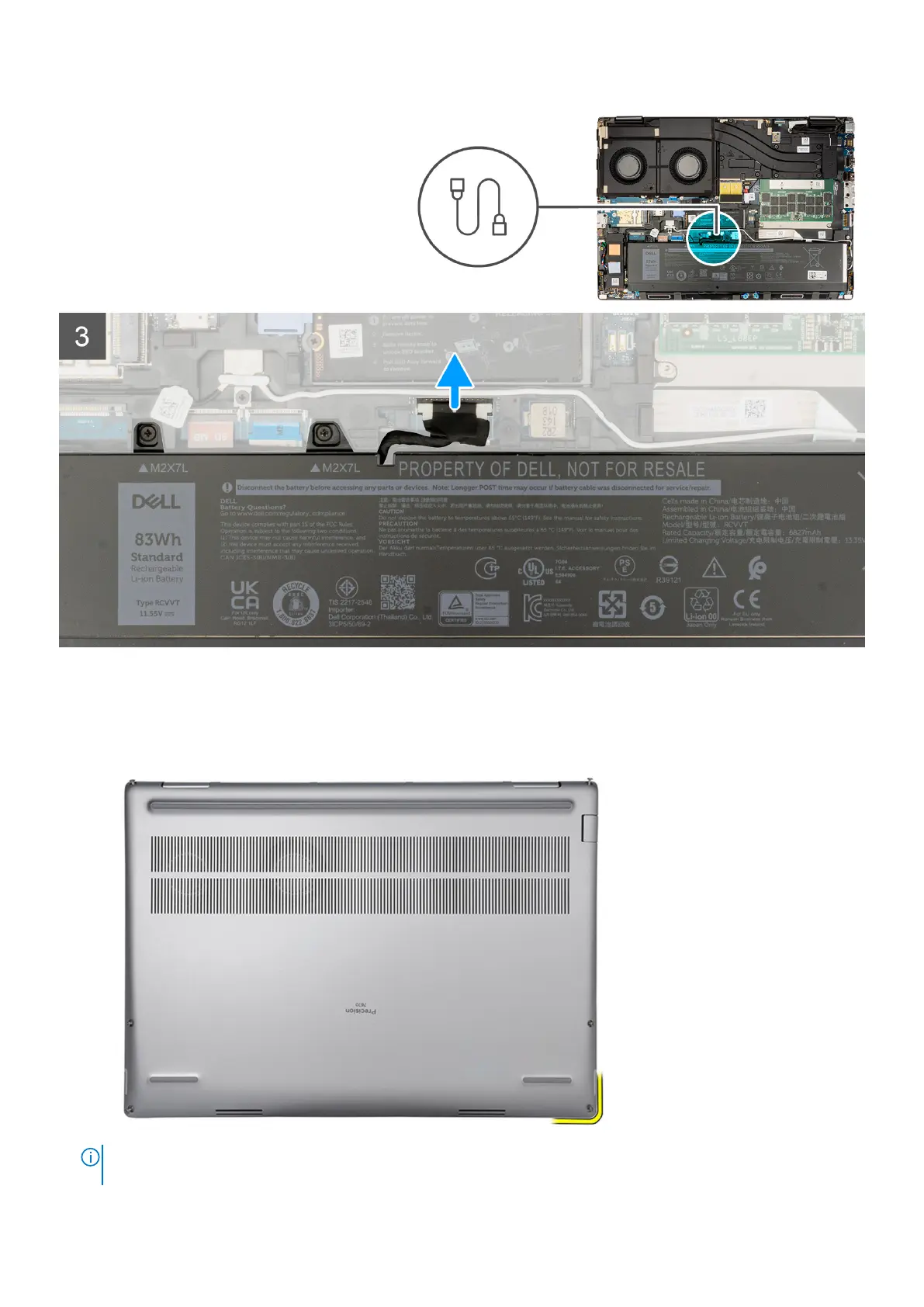
Steps
1. Loosen the six captive screws that secure the base cover to the computer.
2. For computers shipped without a smart-card reader, pry open the base cover starting from the bottom-right corner of the
base cover.
NOTE:
For models shipped with smart-card reader, pry open the base cover from the smart-card reader slot at the
bottom-right side of the base cover.
Removing and installing components 17






 To Next Page