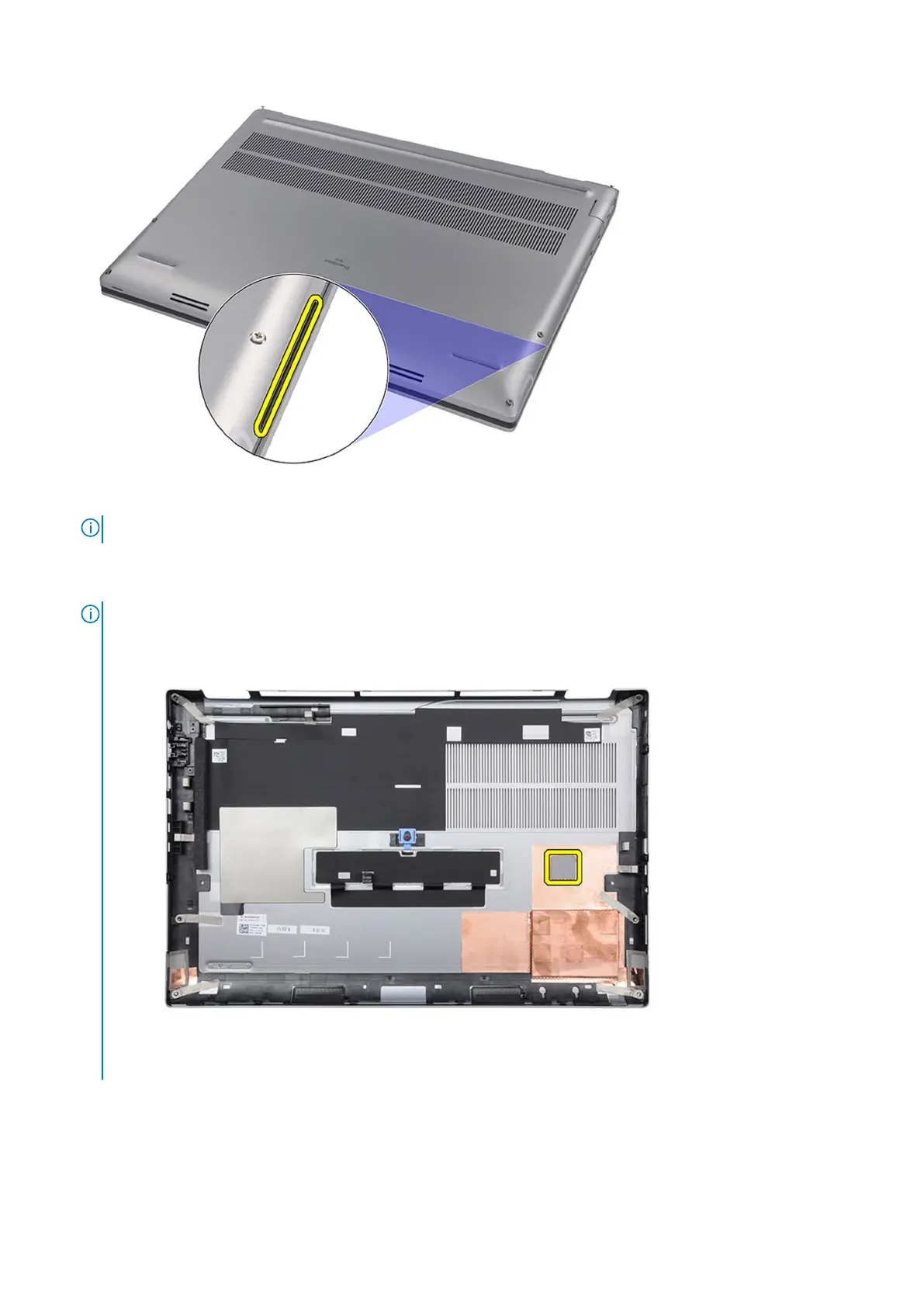
3. Lift the base cover starting from the bottom edge and push it towards the rear to remove it from the computer.
NOTE: Do not lift the base cover directly upwards to remove, as it may damage the rear edge of the cover.
4. Disconnect the battery cable from the connector on the system board.
5. Lift to remove the base cover.
NOTE:
● WWAN Thermal Pad on Base Cover: Models that are shipped with WWAN antennas have a WWAN thermal pad on
the base cover. If the thermal pad is detached after removing the base cover, re-adhere it to the base cover.
● Solid-state drive door: For models shipped with an SSD door, use the latch on the base cover to lock/unlock the
door.
18
Removing and installing components






 To Next Page