7
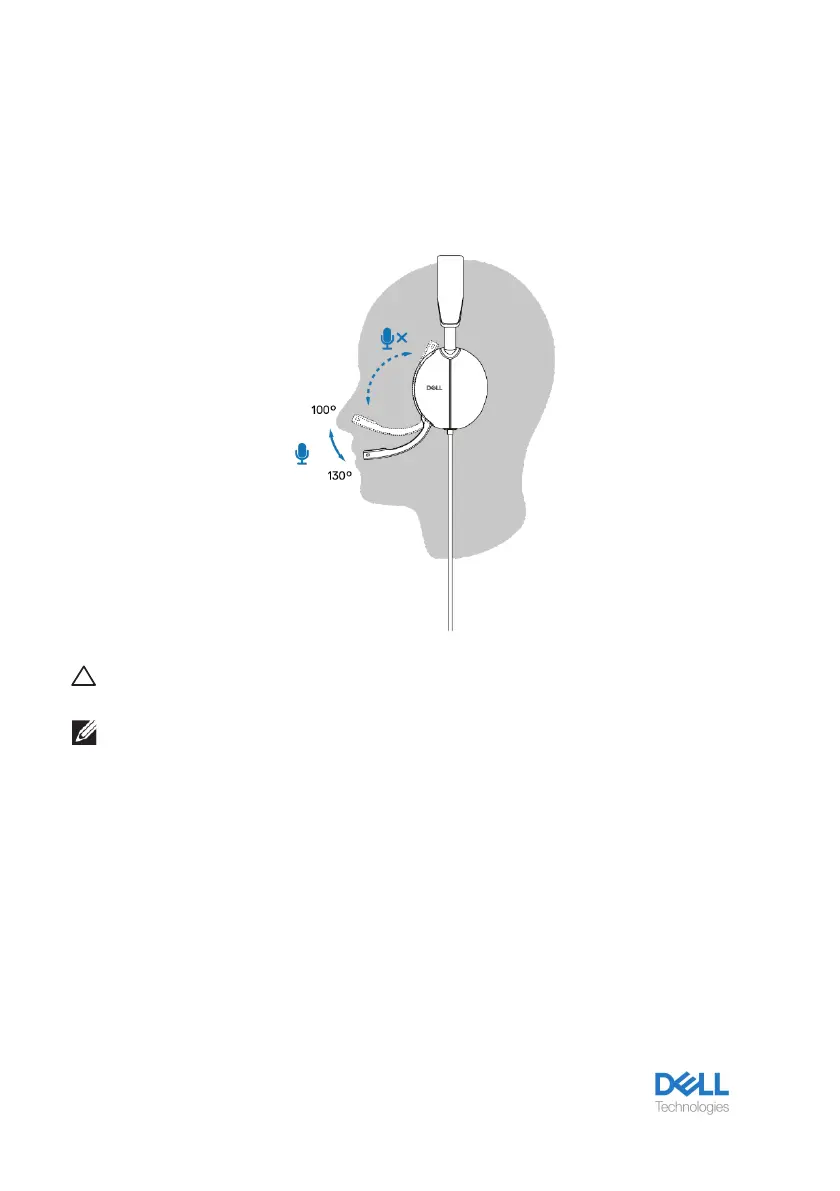
Position the boom
The discrete boom microphone should be worn on left side. Flip the boom mic arm down to
unmute and flip up to mute. You hear voice commands mic unmute and mic mute, that
indicate the status of the mic. The headset automutes or unmutes when the boom mic is
flipped down 100 degrees or over, the full deployment angle is 130 degrees. You are unable
to mute or unmute when the boom mic is not flipped down.
CAUTION: To avoid breaking the boom microphone, do not rotate
over 130° limit.
NOTE: You experience the sidetone effect when you rub or
scratch the microphone during a call. You can select your
preferred sidetone level or disable it in DPeM.



 To Next Page