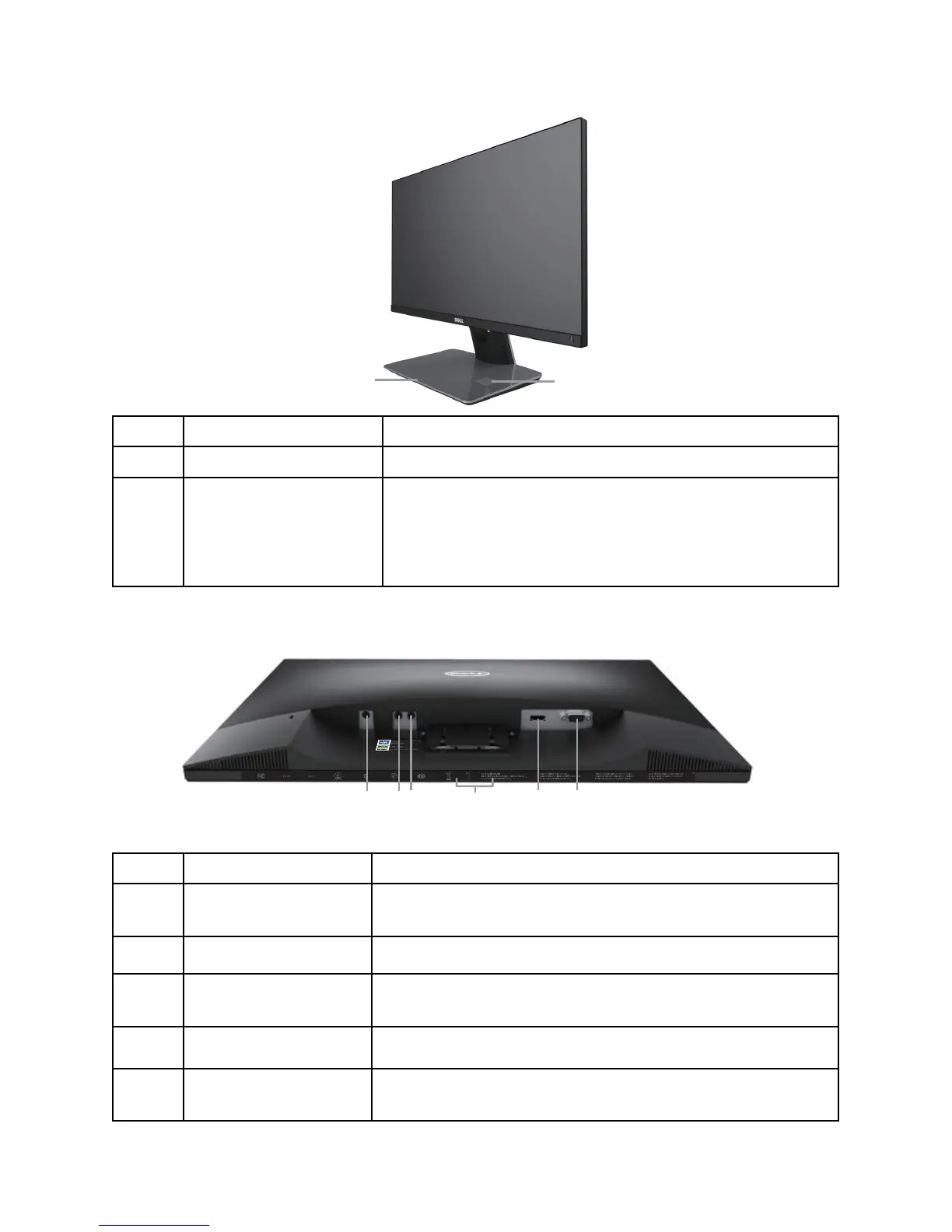
Label Description Use
1 Wireless charging LED Indicates the wireless charging status.
2 Wireless charging pad Charge your Qi (WPC) or PMA compliance
•
devices.
Align your device to the pad to get max •
charging.
Bottom View
Bottom view without monitor stand
Label Description Use
1 Power-adapter port Connects the DC out cable of the wireless charging
base.
2 Audio Line Out port Connects external speakers (Optional Purchase) *
3 Audio Line In port Connects the audio cable (Optional Purchase) from
the source device to the monitor.
4 Regulatory label Lists the regulatory approvals.
5 HDMI port Connects your computer to the monitor using an
HDMI cable.



 To Next Page