Using the Wireless Charging Base
The stand base of your monitor allows you to charge a Qi (WPC)/PMA certified
smartphone or mobile device wirelessly. For more information about wireless
charging standards and certified devices, see www.wirelesspowerconsortium.com
and www.merger.powermatters.org.
Setting Up the Wireless Charging Function
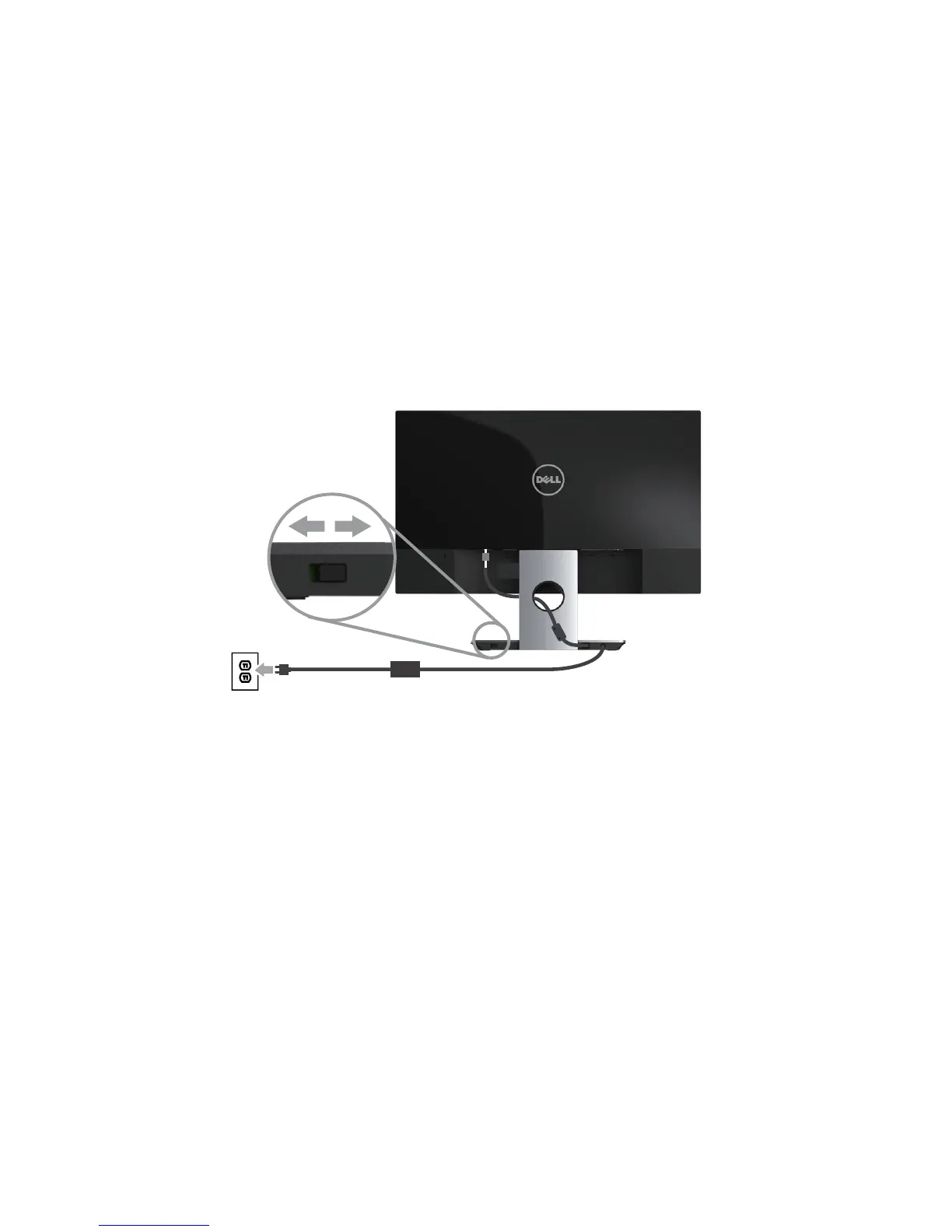
Ensure that the DC out cable and power cable are connected properly and
1.
secure.
Slide the wireless charging power switch to reveal the green color on the back.
2.
The white LED turns on for 3 seconds and then turns off to indicate that the
wireless charging function is enabled.
OnOff
To turn off the wireless charging function, slide the wireless charging power
3.
switch to reveal the red color on the back.



 To Next Page