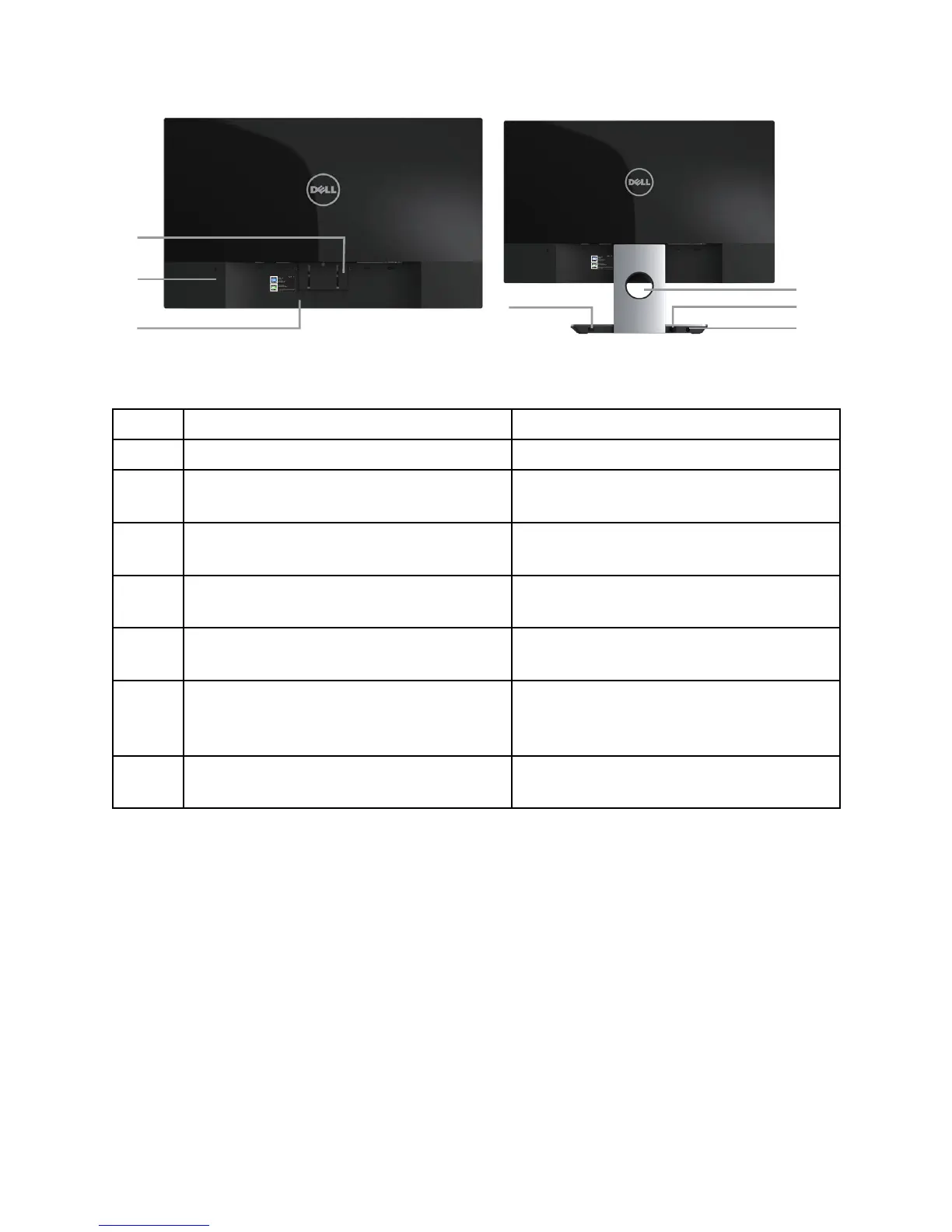
Back View with monitor stand
Back View without monitor stand
Label Description Use
1 Stand release button Releases stand from monitor.
2 Security-lock slot Secures monitor with security lock
(security lock not included).
3 Barcode serial number label Refer to this label if you need to
contact Dell for technical support.
4 Wireless charging power switch Turns on the switch for the readiness
of wireless charging.
5 Cable management slot Uses to organize cables by placing
them through the slot.
6 DC out cable Plugs to the power-adapter port on
the monitor, with a 12V DC power
supply.
7 Power-adapter port Connects the power cable using a
19V DC adapter for transition.



 To Next Page